
Data Science
HackerRank ML & Data Science Assessments in 2026: VS Code, AI Assistants, GPU Support & Prep Strategy
The HackerRank machine learning assessment 2026 moved to VS Code with AI assistants and GPU support.
If you're preparing for a HackerRank machine learning assessment in 2026, the test you'll sit looks different from the one your seniors described last year. HackerRank has been rolling out a major overhaul of its data science and ML assessments — moving the environment from JupyterLab to a full VS Code experience, adding built-in AI assistants that you can actually use during the test, and turning on GPU-backed environments for compute-heavy machine learning work.
For candidates, this is a double-edged change. The environment is more realistic and more forgiving — but the bar for what "good" looks like has quietly shifted from "can you write the code" to "can you solve a real data problem, using modern tooling, and explain your reasoning." This guide breaks down exactly what changed, what you're actually tested on now, and how to prepare.
Want to practice the real thing? Try Thita's AI Interview Coach for live ML/DS interview practice, or follow the structured AI/ML Learning Path to build the fundamentals these assessments reward.
What Changed in 2026
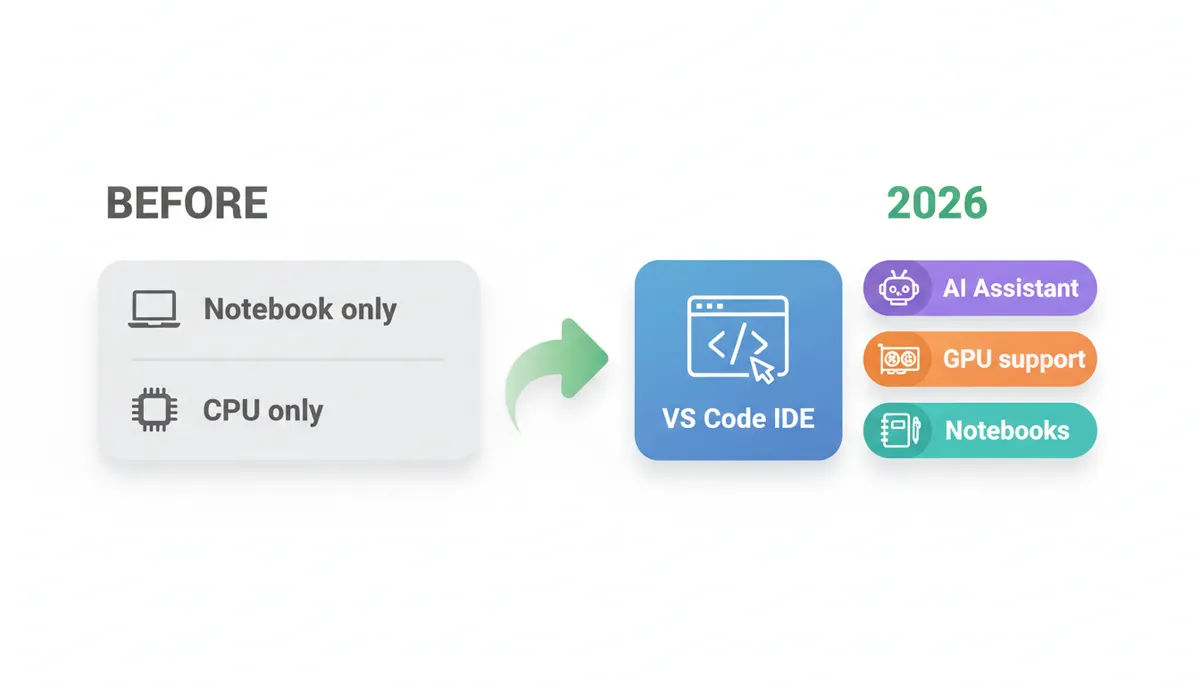
The headline shift is that HackerRank's data science assessments now run inside a VS Code IDE instead of the older JupyterLab interface, while keeping full notebook support. According to HackerRank's April 2026 release notes, the goal is "a more consistent assessment experience across question types" — the same standardized environment used for front-end, back-end, and full-stack roles now extends to data science and ML.
Alongside the IDE change, three things landed: an in-test AI Assistant with chat and agent modes, GPU-backed environments for compute-intensive machine learning work, and improved session-replay proctoring that captures the full browser screen to support notebook workflows.
Here's the before-and-after at a glance:
| Aspect | Before (JupyterLab era) | 2026 (VS Code era) |
|---|---|---|
| Editor / IDE | JupyterLab notebook interface | VS Code IDE with full notebook support |
| Consistency | Separate DS experience | Same IDE as coding/full-stack roles |
| AI help during test | None / not standardized | AI Assistant (chat + agent modes), guarded or unguarded |
| Compute | Standard CPU environments | GPU-backed environments available for ML/DS |
| Kernels | Python-focused | Python, R, and Julia selectable |
| Proctoring replay | Single-tab capture | Full browser-screen session replay |
| What's evaluated | Code correctness | Correctness plus how you use AI tooling and reason through problems |
⚠️ Important: HackerRank rolls features out gradually and per-company. GPU-backed environments, for example, require the test author to contact HackerRank support to enable them — so not every assessment you take will have GPUs on. Always read the test instructions on the welcome screen; they tell you which mode and tools are active for your test.
The VS Code Shift for Data Science
The most visible change is the IDE itself. Instead of the standalone JupyterLab tab, your HackerRank data science assessment now opens in a VS Code-based environment. Crucially, notebooks still work — you get the familiar cell-by-cell .ipynb workflow, just hosted inside VS Code rather than Jupyter.
Per HackerRank's data science questions documentation, VS Code is the default environment, and you can select from three kernels:
- Python — the dominant choice for ML/DS work (pandas, NumPy, scikit-learn, etc.)
- R — for statistical modeling and analysis
- Julia — for numerical and performance-sensitive workloads
A Package Info view lets you see which libraries are pre-installed for your kernel, so you're not guessing whether xgboost or statsmodels is available.
Why this matters for prep
If your only exposure to notebooks is classic Jupyter, spend an hour or two inside VS Code's notebook editor before test day. The keyboard shortcuts, cell management, and integrated terminal are slightly different. Muscle memory matters when you're racing a timer.
💡 Pro Tip: Install VS Code locally and open a .ipynb file in it. Practice running cells (Shift+Enter), restarting the kernel, and using the integrated terminal — all in VS Code, not Jupyter. This removes a layer of "where is that button?" friction during the real HackerRank VS Code assessment.
AI-Assistant Modes: What's Allowed and How It's Scored
This is the change that confuses candidates the most. HackerRank has introduced an in-test AI Assistant for data science questions, and yes — in many tests you're allowed and expected to use it. But how much it can do depends on the mode the company chose.
Per HackerRank's AI-assisted tests documentation, there are two configurations:
- Guarded mode (the default) — the assistant helps with syntax, platform navigation, and conceptual guidance, but does not generate complete solutions for you.
- Unguarded mode — you can interact freely with the AI, similar to real-world AI coding tools and "agent-style" workflows.
For data science specifically, the assistant supports:
- Chat mode — explore notebook context, ask questions, and understand code and outputs.
- Agent mode — make direct updates such as adding cells, fixing errors, rewriting functions, or building entire workflows.
- On-demand execution — run selected notebook cells when you ask it to.
How AI use is evaluated
Here's the part candidates miss: after the test, recruiters can review the full AI Assistant transcript of your conversation, plus optional AI Fluency metrics that show how you interacted with the assistant. In unguarded mode especially, HackerRank positions this as assessing "how candidates work with AI in real-world, agent-style workflows" — meaning the quality of your prompting and judgment is part of the signal, not just whether the final code passes test cases.
✅ Do: Treat the AI Assistant like a junior pair-programmer. Ask it targeted questions ("why is this groupby returning NaN?"), verify its suggestions, and keep ownership of the approach. Good prompting and visible reasoning read as strength.
❌ Don't: Dump the whole problem into the assistant and paste back whatever it returns. In guarded mode it won't hand you a solution anyway, and in unguarded mode the transcript shows a recruiter you couldn't reason independently.
⚠️ Important: Don't assume AI help is available. Some companies disable it entirely, and the test instructions will say so. If the assistant is off, you're back to writing everything yourself — so your fundamentals still have to be solid.
GPU-Backed Environments
For genuinely compute-intensive machine learning tasks, HackerRank now offers GPU-backed environments. The April 2026 release notes describe these as supporting "compute-intensive use cases, such as machine learning and data science assessments."
Two practical notes:
- They're opt-in for the test author. Enabling GPUs requires the company to contact HackerRank support. So a HackerRank GPU assessment is something a company deliberately configures — typically for ML-engineer or research-leaning roles where training a small model or running heavier inference is part of the task.
- Don't count on it for standard DS roles. Most data-analyst and applied-DS assessments still run fine on CPU. GPU access signals the role expects you to be comfortable with deep-learning-scale workloads.
💡 Pro Tip: If you're targeting ML-engineering roles, make sure you can write framework code (PyTorch/TensorFlow) that checks for and uses a GPU correctly — e.g., moving tensors to cuda when available and falling back to CPU otherwise. Assessments that bother to enable GPUs usually expect you to use them.
What ML & DS Candidates Are Actually Tested On
The environment changed, but the substance of the HackerRank ML test is still rooted in real data work. Per HackerRank's data science documentation, the questions evaluate your ability to:
- Perform data wrangling and preprocessing — cleaning, joining, reshaping messy real-world data
- Build statistical and predictive models — regression, classification, evaluation metrics
- Create meaningful data visualizations — turning data into insight, not just plots
- Implement machine learning algorithms — applying the right model to the right problem
In practice, expect a mix of the following across notebook-based and query-based questions:
1. Notebook-based data tasks
A .ipynb with a dataset, a prompt, and cells to fill in. You load, clean, explore, and produce a result — often a trained model or an answer derived from the data. This is the heart of the HackerRank notebook assessment.
2. SQL
Many DS assessments include database questions. Window functions, aggregations, joins, and CTEs show up constantly. SQL fluency is non-negotiable for data roles.
3. ML debugging
You're given code that almost works — a model that won't converge, a pipeline leaking data between train and test, a metric computed wrong. You diagnose and fix it. This tests whether you actually understand the modeling workflow, not just memorized API calls.
4. Feature engineering
Transforming raw columns into model-ready features: encoding categoricals, handling missing values, scaling, creating interaction terms, and engineering time-based features. Strong feature work often matters more than model choice.
5. Communication and reasoning
With AI transcripts and manual scoring now in play, how you explain your choices counts. Clear markdown commentary, sensible variable names, and a logical cell flow all read as signal to a human reviewer.
Your 2026 Prep Checklist
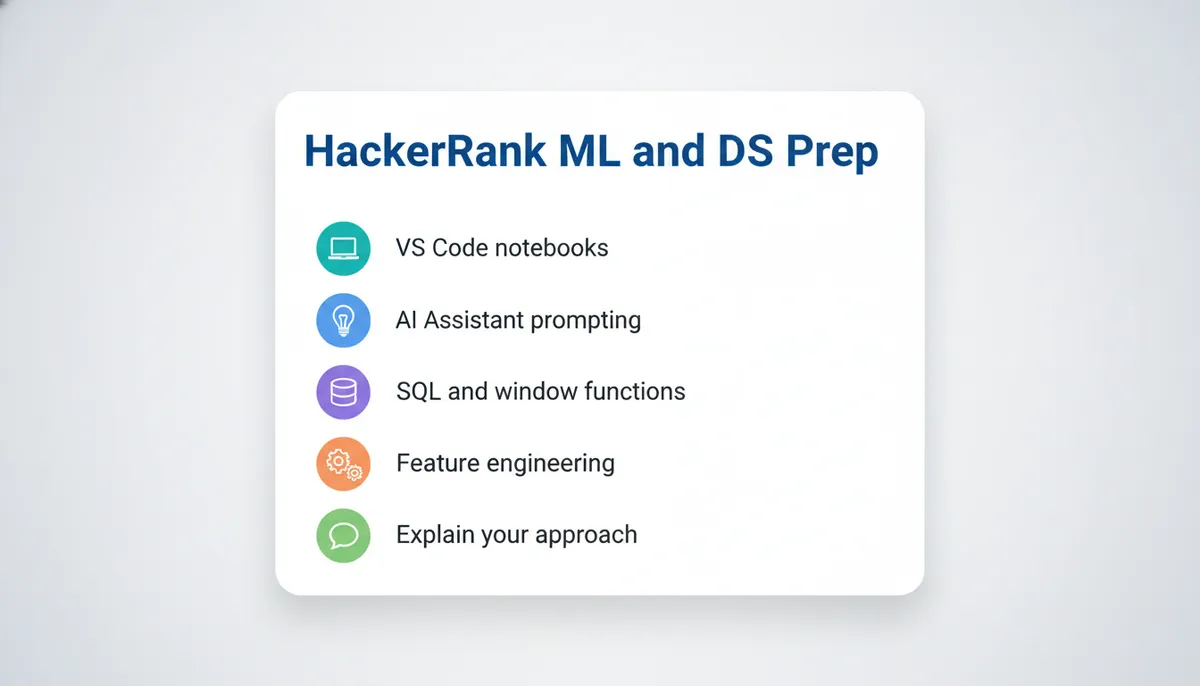
Work through these in order. The first few build the muscle; the last few make you fast and calm on test day.
- Get fluent in VS Code notebooks. Open
.ipynbfiles in VS Code, not Jupyter. Practice running, restarting, and editing cells until it's automatic. - Drill pandas + NumPy until they're reflexive. Group-bys, merges, pivots, missing-value handling, and apply/vectorized operations. Most wasted time on these tests is fumbling pandas syntax.
- Build a scikit-learn pipeline from memory. Train/test split, preprocessing, model fit, prediction, and the right evaluation metric — end to end, without looking it up.
- Sharpen your SQL. Window functions, CTEs, and aggregations. Solve 20–30 medium SQL problems timed.
- Practice ML debugging. Take working notebooks, intentionally break them (data leakage, wrong metric, scaling after split), and fix them. This mirrors a common question type exactly.
- Learn to prompt the AI Assistant well. Practice asking precise, scoped questions to an AI coding tool and verifying its output — because the transcript may be reviewed.
- Write readable markdown as you go. Narrate your approach in cells. Treat the reviewer as your audience.
- Do a full timed dry run. One complete notebook problem + one SQL problem under a clock, in VS Code, with no extra help.
- Practice talking it through out loud. Use Thita's AI Mock Interview to rehearse explaining your modeling decisions — the communication signal these assessments now reward.
For a structured version of steps 2–5, the Data Science Learning Path covers wrangling, SQL, and modeling, while the AI/ML Learning Path goes deeper on algorithms and feature engineering.
Frequently Asked Questions
Is the HackerRank machine learning assessment in 2026 still based on Jupyter notebooks?
You still get the notebook experience, but it now runs inside a VS Code IDE rather than standalone JupyterLab. Cells, kernels, and the .ipynb workflow are preserved — only the surrounding editor changed. Practice in VS Code's notebook editor so the interface feels familiar.
Can I use the AI Assistant during a HackerRank data science assessment?
Often, yes — but it depends on the mode the company configured. In guarded mode (the default) it helps with syntax and concepts but won't write full solutions. In unguarded mode you can use it freely, agent-style. Some companies disable it entirely. The test instructions tell you which applies.
Will my AI Assistant conversation be reviewed?
It can be. Recruiters can access the full AI Assistant transcript plus optional AI Fluency metrics. So how you use AI — precise prompts, verifying output, keeping ownership of the approach — is part of the evaluation, not just the final code.
Do all HackerRank ML tests come with GPU support?
No. GPU-backed environments exist for compute-intensive ML work, but the test author has to request them from HackerRank support. Expect GPUs mainly on ML-engineering or research-oriented assessments, not standard data-analyst tests.
What programming languages can I use?
For data science questions, you can select a Python, R, or Julia kernel. Python is the most common and best-supported choice for machine learning. A Package Info view shows which libraries are available.
What topics should I prioritize for a HackerRank data science assessment?
Data wrangling with pandas, SQL (especially window functions), a clean scikit-learn modeling pipeline, feature engineering, and ML debugging. Layer in clear, well-commented notebook code so a human reviewer can follow your reasoning.
How is a HackerRank notebook assessment scored?
Questions support automatic scoring (standard metrics or custom scripts) and manual evaluation. That means both your output and your approach can be assessed — which is why readable code and clear commentary matter more than they used to.
How do I practice for the communication part?
Rehearse explaining your modeling choices out loud as if to an interviewer. Thita's AI Interview Coach and AI Mock Interview simulate that back-and-forth and give real-time feedback on clarity and structure.
Final Thoughts
The 2026 HackerRank data science and ML assessment is more realistic than ever — a real IDE, real tooling, and AI assistance that mirrors how working data scientists actually operate. But "more realistic" also means the test is harder to fake your way through. Strong pandas and SQL fundamentals, a clean modeling workflow, sound debugging instincts, and clear communication are what separate strong candidates now.
Start building those skills today:
- Follow the Data Science Learning Path for wrangling, SQL, and modeling fundamentals
- Go deeper with the AI/ML Learning Path on algorithms and feature engineering
- Rehearse explaining your work with the AI Interview Coach
Prepare for the assessment in front of you — VS Code, AI assistants, and all — and you'll walk in confident instead of caught off guard.