
Interview
Intuit Interview Questions and Process: The Complete Guide (2026)
Learn the reported Intuit software engineering interview process, including the Craft Demonstration, each round’s focus, difficulty, and a focused 30-day plan.
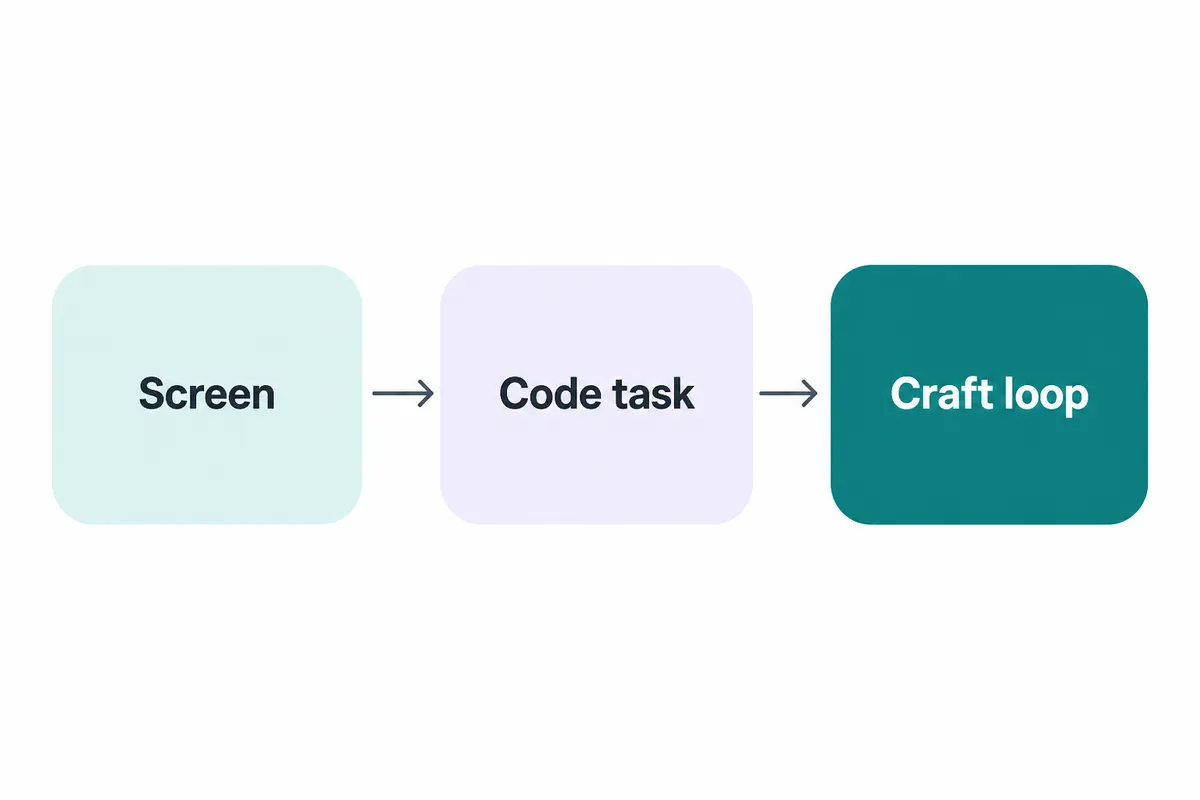
Reported accounts describe Intuit’s software engineering interview as a recruiter screen, a technical screen, and a craft loop of four to six conversations. The standout stage is the Craft Demonstration: rather than inventing an algorithm from scratch, candidates reportedly work in an existing codebase, implement user stories live, and demonstrate clean code with unit tests. Prepare algorithms for the technical screen, but make practical coding, testing, and explanation the centre of your preparation.
For focused coding practice, Intuit’s interview kit contains 11 mapped DSA questions associated with the company. Use it to practise recognising familiar problem shapes, explaining trade-offs, and producing code that you can defend line by line.
The Intuit interview process at a glance
| Stage | Reported format | What it screens for | How to prepare |
|---|---|---|---|
| Recruiter screen | Initial conversation | Role fit, experience, motivation, communication | Know your project story and why the role fits |
| Technical screen | Glider-based technical screen, reported at 60–90 minutes | Coding fundamentals, problem solving, clarity | Practise solving and narrating standard coding problems |
| Craft loop | Reported four to six conversations | Engineering craft, collaboration, technical judgement | Prepare for practical coding, design discussion, and project depth |
| Craft Demonstration | Live work in a shared GitHub repository | Code quality, tests, incremental delivery | Build features in an unfamiliar codebase under a timer |
Exact sequencing can vary by team, level, and hiring route. Reported accounts are useful for understanding the likely shape of the loop, but confirm your own format, tools, and expectations with the recruiter.
Round one — recruiter screen
The recruiter screen is the first chance to show that your experience matches the role beyond keywords on a CV. Reported accounts describe this as the opening stage before the technical work begins. You should expect a conversation about your background, the kind of work you want to do, your availability, and why Intuit is a sensible next move.
Treat it as preparation for the later behavioural and project conversations, not as a scheduling call. Your answers should be specific enough that they create a coherent engineering narrative:
- What kind of systems have you worked on?
- What did you personally own?
- Which technical decision are you proud of, and why?
- What did you learn when a project did not go as planned?
- Why does the product or engineering environment interest you?
Avoid a generic company pitch. A better answer connects your experience to the work you want to do next: improving a customer-facing workflow, building reliable services, making complicated systems easier to use, or collaborating across functions.
Prepare concise versions of two project stories. One should show technical depth; the other should show judgement, collaboration, or recovery from a problem. You will reuse both throughout the loop.
💡 Pro tip: Do not memorise a speech. Memorise the facts, decisions, constraints, and outcomes. A rehearsed structure sounds prepared; a rehearsed paragraph sounds brittle.
Round two — the technical screen
Reported accounts describe a Glider technical screen lasting around 60 to 90 minutes. This is the stage where you need conventional coding-interview discipline: understand the prompt, identify a workable approach, discuss complexity, write correct code, and test it.
The point is not merely to reach an answer. An interviewer needs evidence that you can turn an unclear problem into a clear plan. Start by restating the task in your own words, asking about inputs and edge cases, and proposing a simple baseline before selecting the stronger approach.
A strong live-coding rhythm looks like this:
- Clarify what the input means and what output is expected.
- Talk through a direct approach, even if you will improve it.
- Name the data structure or pattern you want to use.
- State time and space complexity before coding.
- Write readable code in small, explainable steps.
- Walk through normal and edge cases after coding.
The DSA Patterns Sheet is free to browse and useful for organising practice around recognition rather than random volume. If you regularly know the topic but cannot see the approach quickly, read how to identify the right DSA pattern in a coding interview.
The technical screen also rewards communication. A silent candidate may produce good code but leave the interviewer unable to assess their decision-making. Explain what you are considering, especially when you change direction.
✅ Do: Say why a hash map, traversal, window, or search strategy fits the problem.
❌ Don’t: Code immediately and save all explanation for the final minute.
For more practice on the interaction itself, what interviewers actually look for in live coding interviews breaks down the signals that matter beyond correctness.
The craft loop — the practical engineering bar
The onsite portion is commonly reported as a “craft loop” of four to six conversations. That name is important. It suggests that the evaluation is not limited to whether you can solve isolated puzzles; it is also about how you work as an engineer.
The practical implication is simple: do not prepare for this stage as if every conversation will be a whiteboard algorithm. Be ready to discuss code quality, trade-offs, testing, maintenance, collaboration, and your own prior decisions.
You should be able to explain how you approach an engineering task when the requirements are incomplete:
- What do you clarify first?
- What is the smallest useful version you can ship?
- Where would you place validation and error handling?
- What tests establish confidence?
- What would you deliberately defer?
- How would you make the code easy for another engineer to change?
This is also where project depth matters. If your CV says you improved performance, expect to explain the original bottleneck, how you measured it, what options you considered, what you changed, and how you knew the change helped. If you built a service, be ready to discuss its boundaries, failure modes, observability, and operational trade-offs.
Use an AI mock interview to rehearse these explanations aloud. A thoughtful answer delivered clearly is much more persuasive than an impressive project described only at headline level.
The Craft Demonstration — Intuit’s distinctive interview stage
The Craft Demonstration is the part of the reported Intuit loop that should change how you prepare.
Reported accounts consistently describe a roughly 90-minute practical session with two to four interviewers. A GitHub repository is reportedly shared 24 to 48 hours beforehand. During the session, the candidate implements user stories live in an existing codebase, with clean code and unit tests expected as part of the work.
That is a different task from solving a standalone coding question.
In a puzzle-style interview, you often begin with a blank editor and search for an efficient algorithm. In a Craft Demonstration, the challenge is closer to everyday engineering: understand code written by other people, find the relevant extension points, make a safe change, preserve existing behaviour, and show that your work functions.
What this stage screens for
Reading before changing. Can you orient yourself in an unfamiliar repository without randomly editing files? Good candidates identify the entry point, understand the existing abstractions, and trace the relevant data flow before implementing.
Incremental delivery. Can you make a small slice work first? A candidate who builds the main path, runs it, and then adds checks is usually in a stronger position than one who plans an elegant redesign but never executes it.
Code quality. Naming, structure, duplication, and separation of responsibilities all become visible when the task is practical. You do not need elaborate abstractions. You do need code another engineer can read.
Testing discipline. Unit tests are not decoration. They show that you can define intended behaviour, protect edge cases, and make a change with confidence.
Engineering judgement. The best solution is not necessarily the most ambitious one. It is the one that solves the stated user story, fits the existing codebase, and leaves a credible path for the next change.
How to practise for it
Create the conditions deliberately. Find a small unfamiliar project or revisit an old one after enough time that it feels unfamiliar. Give yourself a user story such as “add a filter”, “support a new status”, or “reject invalid input”. Then work through this routine:
- Spend the opening minutes reading rather than typing.
- Write down the files and components most likely to change.
- State your assumptions before you build.
- Implement the narrowest complete version first.
- Add tests for the main path and an edge case.
- Run the code and narrate what you would improve with more time.
This is where Intuit’s interview kit still helps: algorithmic fluency reduces the cognitive load of implementation decisions. But do not stop at a correct function. Turn practice into engineering practice by writing tests, improving names, and explaining your choices aloud.
The Code Practice environment is useful for building the habit of producing and checking code under realistic constraints. Pair that with a local project workflow so you practise code reading and change-making as well as problem solving.
⚠️ Important: Do not over-engineer the repository before you understand it. In a practical coding session, changing existing structure without a clear need can create risk rather than demonstrate sophistication.
Is the Intuit interview hard?
Yes, but the difficulty is uneven rather than purely algorithmic.
The technical screen can be challenging because it tests standard coding skills under time pressure. Candidates who have not practised explaining complexity, testing edge cases, and recovering from a false start may struggle even when they know the underlying concepts.
The craft loop adds a different kind of difficulty: practical engineering judgement. Reading an existing codebase, implementing user stories, and writing tests is closer to real development work than memorising a catalogue of problems. That is precisely why candidates who prepare only with isolated coding puzzles can be caught out.
How many rounds are there? Reported accounts describe a recruiter screen, a technical screen, and a craft loop of four to six conversations.
How long does it take? The technical screen is reported at 60 to 90 minutes, and the Craft Demonstration at roughly 90 minutes. A reliable end-to-end hiring timeline is not established in the available reports, so ask the recruiter for the current schedule.
The most effective preparation is balanced: maintain coding fluency, then spend meaningful time on practical code changes, tests, and project explanations.
A 30-day Intuit interview preparation plan
Week one — rebuild coding fluency
Start with core patterns: arrays, strings, hash maps, trees, graphs, recursion, sorting, and search. Focus on recognising the shape of a problem and articulating the trade-off between approaches.
Work through Intuit’s interview kit and keep a short error log. Record whether each miss came from pattern recognition, implementation, complexity analysis, or testing. Your mistakes should determine tomorrow’s practice.
Week two — practise explanation and testing
Continue coding, but add a spoken explanation to every problem. Before typing, say your plan and complexity. After coding, test a normal case, a boundary case, and an invalid or unusual case where appropriate.
Use the free-to-browse DBMS Sheet and Operating Systems Sheet if your role or past projects involve systems questions. You do not need to predict every topic; you need enough grounding to discuss trade-offs credibly.
Week three — simulate the Craft Demonstration
Choose small repositories and implement focused user stories under a 90-minute timer. Make your first objective a working vertical slice. Make your second objective a test. Make your third objective a clean explanation of your decisions.
After each session, review the code as if you were a teammate. Could somebody else understand the change? Is there unnecessary complexity? Are tests describing behaviour rather than implementation details?
Week four — integrate the loop
Alternate technical-screen practice with practical coding sessions. Run at least two mock interviews: one coding-focused and one project- and craft-focused. Prepare your project stories using a simple structure: context, your responsibility, the difficult decision, the outcome, and what you would change now.
For roles where design discussion is likely, the System Design Sheet is free to browse. Keep your focus on communicating trade-offs rather than reciting architecture diagrams. The distinction between code-level and architecture-level discussion is covered in low-level design vs high-level design.
Frequently asked questions
What is the Intuit Craft Demonstration?
Reported accounts describe a practical coding session in an existing GitHub repository. Candidates implement user stories live, with code quality and unit tests forming part of the evaluation.
How many rounds does the Intuit interview process have?
Reported accounts describe a recruiter screen, a technical screen, and a craft loop of four to six conversations. The exact sequence can vary by team and level.
Does Intuit use coding questions?
Yes. The reported technical screen evaluates coding and problem-solving ability. Prepare for clear reasoning, correct implementation, complexity discussion, and testing.
What is Glider in the Intuit interview process?
Reported accounts identify Glider as the platform used for the technical screen. Confirm the current format and tooling with your recruiter.
How long is the Craft Demonstration?
It is commonly reported as roughly 90 minutes. Candidate reports also describe receiving access to a GitHub repository 24 to 48 hours in advance.
Should I focus on LeetCode-style practice or practical projects?
Prepare both. Coding patterns help with the technical screen, while practical repository work, clean code, and unit tests are especially relevant to the reported Craft Demonstration format.
Do I need to write unit tests in the interview?
For the Craft Demonstration, reported accounts describe unit tests as an important part of the work. Practise writing small, meaningful tests alongside implementation.
How should I prepare for project questions?
Choose two projects and be ready to explain your personal ownership, the constraints, the alternatives you considered, the outcome, and what you learned.
Where to start
The highest-leverage Intuit preparation is not choosing between coding questions and practical engineering. It is connecting them: solve the problem, write maintainable code, test it, and explain the decisions that led there.
Start with Intuit’s interview kit for 11 mapped DSA questions, then use the free-to-browse DSA Patterns Sheet to strengthen weak patterns. Finally, rehearse your technical and craft explanations in an AI mock interview.
Interview processes can change by team and hiring need. Confirm the current format, repository access expectations, and timing with your recruiter before the loop.
Topics
Related on Thita
Your next step
Practise with AI mock interviews
A spoken interview that asks follow-up questions, runs your code and ends with a written report.