
Interview
Google Interview Warmup Shut Down: What to Use Instead
Google Interview Warmup shut down in 2026. See what replaced its speech feedback, what Gemini misses and how to practise technical rounds properly.
Google Interview Warmup shut down in April 2026. There was no major launch-style announcement or detailed migration guide: the old grow.google/interview-warmup page now redirects visitors to a general interview-tips article.
That is frustrating if you used it for a quick, low-pressure way to say an answer out loud before an interview. Interview Warmup was free, simple, and unusually useful at flagging repeated phrases and weak speech patterns in behavioural answers. But it was never a complete interview-preparation platform. It did not cover coding, system design, machine coding, or technical follow-up questions.
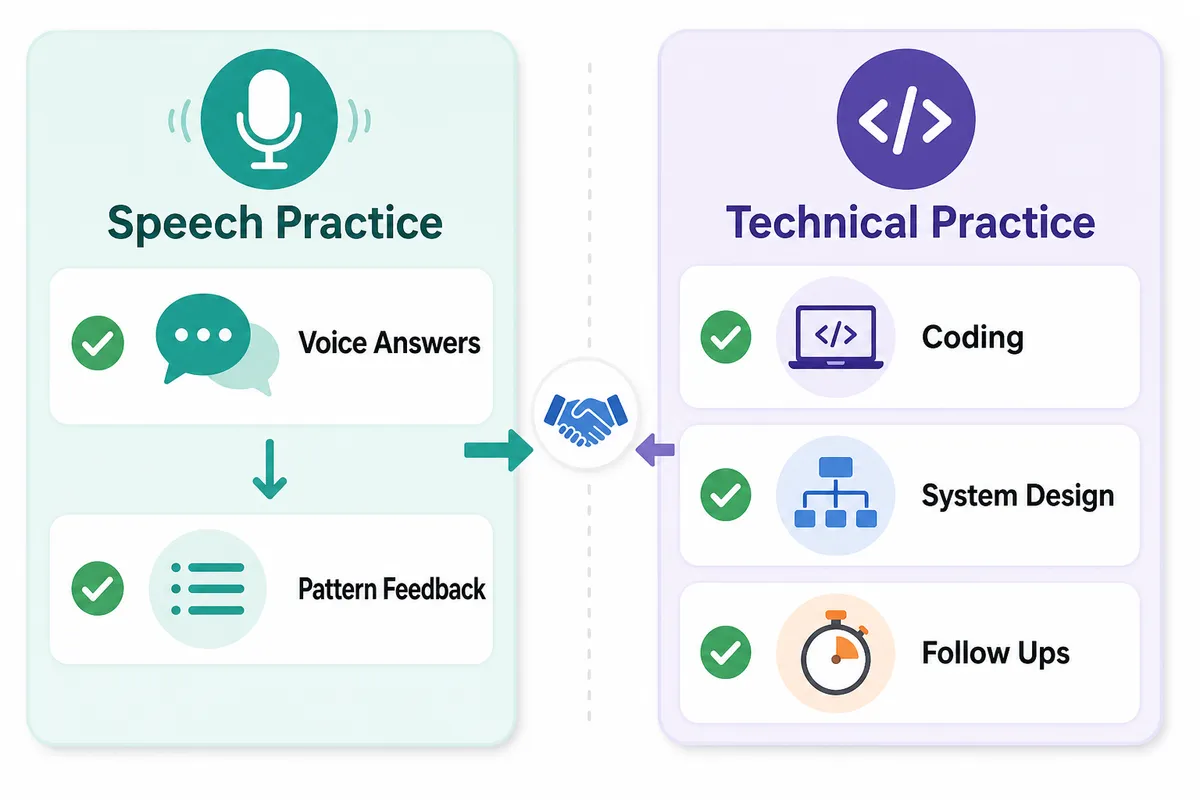
If you are looking for a practical Google Interview Warmup alternative with live voice practice, the right replacement depends on what you were actually using Warmup for. Speech coaching is one need. Practising a technical interview under pressure is another.
This guide separates the two, explains what Google pointed users towards instead, and shows how to build a replacement practice routine that prepares you for the rounds Interview Warmup never touched.
What Google Interview Warmup did well before it was discontinued
It is easy to dismiss a retired product as incomplete. That would be unfair.
Google Interview Warmup had a clear purpose: help candidates get comfortable answering common interview questions aloud. It gave prompts from broad areas such as data analytics, e-commerce, IT support, project management, and general interview preparation. You answered verbally, then received feedback on themes in your response, including repeated words, talking points, and role-related terms.
For candidates who tended to freeze at the first question, that was genuinely useful.
It removed several barriers that stop people from practising:
- It was free.
- It did not require scheduling with another person.
- It was quick to open before a call.
- It made speaking out loud feel less awkward than practising in front of a mirror.
- It highlighted patterns that candidates often miss, such as repeating “basically”, “actually”, or “like”.
- It encouraged candidates to structure a response instead of rambling through it.
That last point matters. A behavioural answer can contain excellent experience and still land badly if it takes three minutes to reach the outcome. Candidates often know they need the STAR framework, but they do not notice that they spend most of their answer setting the scene and barely explain their action or result.
Interview Warmup made that problem visible.
⚠️ Important: Interview Warmup was useful for rehearsing communication. It was not a mock technical interview. It never compiled code, evaluated a system design, tested a machine-coding implementation, or challenged an answer with adaptive technical follow-ups.
That distinction is the key to choosing a Google Interview Warmup replacement now.
What happened after Google Interview Warmup shut down?
Google retired Interview Warmup in April 2026. The original page now redirects to a generic Google interview-tips resource rather than a dedicated practice tool.
Google points users towards Gemini, which makes sense at a broad level. Gemini can help you brainstorm answers, role-play a question, refine a CV bullet, generate a list of likely questions, or suggest a clearer structure for an answer.
Those are useful things to do with a general AI assistant.
But Gemini is not a direct replacement for Interview Warmup, and it is definitely not a replacement for a structured interview simulator. It does not inherently give you a repeatable interview format, role-specific scoring, an interview clock, a real coding environment, or a structured record of where your performance improved from one session to the next.
You can ask Gemini to “interview me for a software engineer role”. You may get useful questions. But you are responsible for setting the rules, deciding whether the follow-up was realistic, checking whether your code works, and judging whether your answer was strong.
That is a lot to self-manage when the goal is to practise under interview conditions.
💡 Pro Tip: Use a general assistant for preparation between sessions: clarifying concepts, rewriting an answer, researching a company, or generating extra examples. Use a purpose-built interview environment when you need to simulate the pressure and feedback loop of the real round.
For a deeper look at where general AI helps and where it can mislead candidates, read our guide to AI tools for interview preparation: benefits and pitfalls.
The real gap: Interview Warmup never covered technical rounds
The biggest mistake candidates can make after the interview warmup discontinued is replacing it with another speech-only tool, then assuming their entire preparation is covered.
For a behavioural interview, delivery matters. You need to answer clearly, demonstrate ownership, and tell a coherent story. But for many technical roles, the interview process also tests whether you can solve and explain problems live.
That may include:
- Data structures and algorithms
- Live coding in an editor
- Debugging a failing solution
- Complexity analysis
- Low-level design
- Machine coding
- System design and architecture trade-offs
- Computer science fundamentals
- Data science, SQL, statistics, or machine learning concepts
- Product thinking and prioritisation
- Questions based on your own CV or project work
Google Interview Warmup never tried to cover this full range. That was not a flaw in its original purpose; it was simply a boundary of the product.
A proper replacement should therefore be built in layers rather than treated as a one-tool decision.
For technical candidates, the missing technical practice is where ordinary chat practice becomes insufficient.
What to use instead for each kind of interview practice
There is no single tool that is best for every candidate and every round. The better question is: what are you trying to improve this week?
1. For behavioural answers: use voice practice, not silent notes
If you used Interview Warmup to stop rambling, practise spoken answers with a timer and a realistic prompt. Reading answers silently is not enough. The version of your story that looks concise on a document often becomes disorganised once you have to recall it out loud.
Choose two or three stories covering common themes:
- A difficult problem you solved
- A disagreement or conflict you handled
- A failure and what changed afterwards
- A time you led without formal authority
- A project where the outcome was uncertain
- A decision you made with incomplete information
Then practise answering each in 90 seconds, two minutes, and three minutes. Different interviewers will give you different space.
2. For coding interviews: use an editor that actually runs code
This is the part Interview Warmup never offered.
A real coding interview is not just recognising a pattern or describing an algorithm. You need to write code, test it, find edge cases, recover from bugs, and explain your choices while someone is listening.
That means your practice environment should let you:
- Write complete code in an actual editor
- Compile and run it
- Test examples and edge cases
- Handle a failure without losing your explanation
- Receive follow-up questions based on your approach
- Discuss time and space complexity after the first solution works
A platform that gives only a static question and answer explanation can still help you learn. But it does not recreate the moment when a test fails and you have to explain what you will check first.
Thita provides live voice AI interviews for coding and technical rounds with a code editor that compiles and runs code. You can practise in six languages: Python, C++, Java, JavaScript, Go and C#. The AI can ask adaptive follow-ups while you work, so you are practising the conversation around the solution as well as the solution itself.
If you need to build fundamentals before mock sessions, start with the free DSA patterns sheet, which covers 98 patterns and 405 problems.
3. For system design: use a canvas that evaluates the architecture
System design practice has its own version of the “talking versus doing” problem.
It is easy to describe a URL shortener or notification system in a chat window. It is much harder to place components on a canvas, explain data flow, identify bottlenecks, discuss trade-offs, and defend why you chose a queue, cache, database, or partitioning strategy.
A good system design practice session should make you submit an architecture, not merely produce a paragraph about one. You should be challenged on scale assumptions, failure modes, data consistency, observability, and the trade-offs you chose not to prioritise.
Thita’s system design interviews use a canvas where the AI evaluates the architecture you submit. That matters because an interviewer responds to the system you actually designed, not the system you intended to describe.
For a structured preparation sequence, see our system design roadmap.
4. For resume and non-technical interviews: use your own experience
Generic questions are a helpful warm-up. They are not always enough for a real interview, where an interviewer may ask about a project, career change, achievement, employment gap, or decision listed on your CV.
Resume-based practice is especially useful if you are applying for product, operations, marketing, analyst, data, customer-facing, or other non-technical roles. The goal is not to memorise your CV. It is to identify where an interviewer is likely to probe and practise explaining your work with clarity and evidence.
Thita can generate resume-based interviews from your own CV, alongside behavioural, product management, data science, AI and ML, and CS fundamentals tracks. That makes it useful beyond software engineering too.
How other alternatives fit into the picture
The market has several credible options, but they solve different parts of the preparation problem.
Yoodli is useful if your main concern is spoken delivery. It focuses on how you communicate: pacing, filler words, and verbal clarity. It does not grade code or evaluate an architecture, so pair it with a technical practice tool if you are interviewing for engineering roles.
AlgoExpert provides code execution and structured coding practice. Its limitation is not the editor; it is that there is no interviewer asking why you made a choice or changing the problem constraints halfway through.
LeetCode mock interviews offer a timer and a judge. That is valuable for algorithm practice, but it is not a live voice interview with AI follow-ups.
Pramp and Exponent can provide the unpredictability of a human peer and a shared editor. The trade-off is scheduling: you need another person to be available, prepared, and willing to give thoughtful feedback.
intervu.dev supports coding practice in six languages, but its coding materials do not describe a system design round. That may be fine if you only need DSA work, but it does not cover every stage of a broader engineering loop.
There are also substantial platforms with wider capabilities. HackerRank combines its established code judge with AI voice interviewing and design whiteboards. CodeSignal’s AI Interviewer has a named, toggleable code-execution setting. Hello Interview offers strong AI-evaluated system design canvas practice. These are real options worth considering, particularly where enterprise processes, specific assessment formats, or system-design depth matter.
The practical comparison is not “which tool is perfect?” It is whether you can practise the rounds you expect, without gaps you discover too late.
A replacement routine that works better than Interview Warmup alone
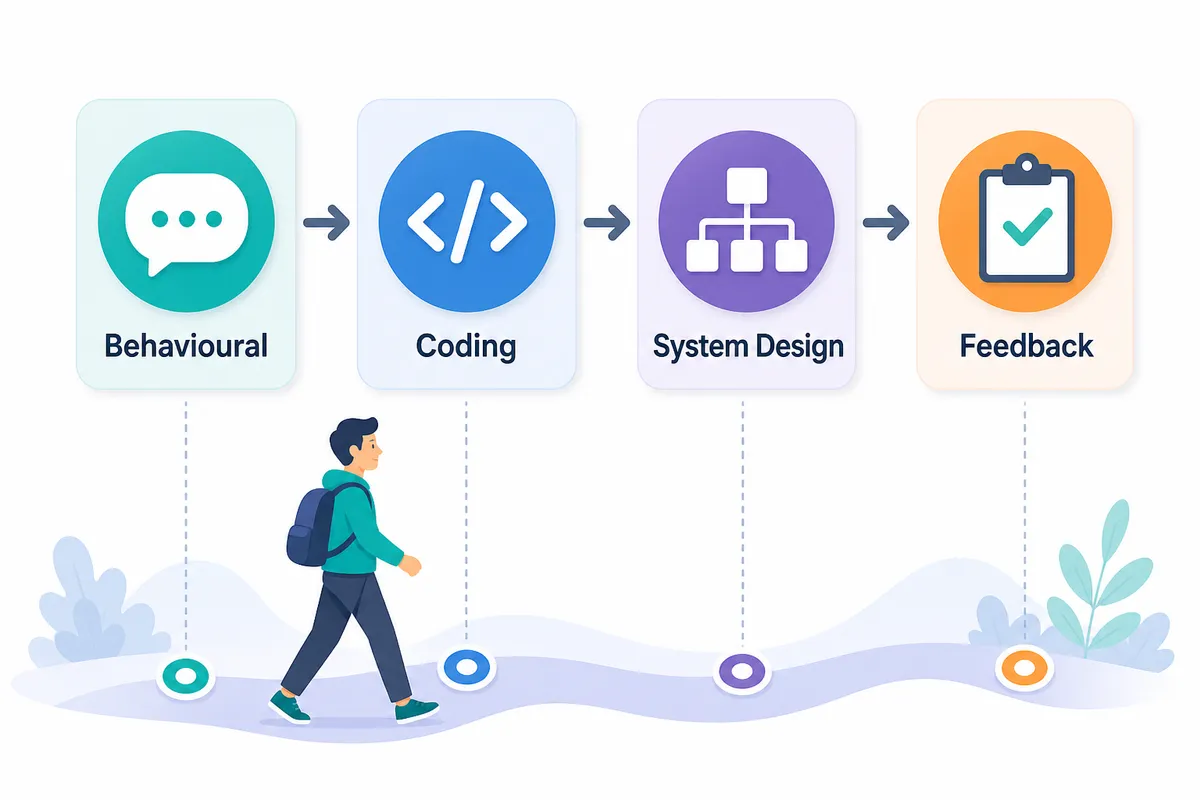
If Interview Warmup was your only practice tool, do not try to replace it by adding five new subscriptions or spending every evening in mock interviews. Build a routine around the interview stages you actually face.
Weekday routine: 45 to 75 minutes
15 minutes: behavioural rehearsal
Choose one story and answer one question aloud. Record yourself if you do not have a voice simulator available. Listen specifically for a missing result, unclear ownership, or a long introduction.
25 to 40 minutes: technical work
Solve one coding problem in an editor. Run your solution, test edge cases, and state your complexity aloud before checking an explanation.
10 to 20 minutes: review
Write down the point where you got stuck. Was it pattern recognition, coding syntax, testing, explanation, or nerves? Your next session should target that specific weakness.
Twice a week: full mock session
Use a live interview format where you must speak, think, write, and respond to follow-ups. This is where you find out whether you can explain a correct solution without sounding uncertain, or recover after a wrong first approach.
✅ Do practise the uncomfortable parts: unclear prompts, follow-up constraints, bugs, and questions where you need a moment to think.
✅ Do alternate round types. A candidate who only practises arrays may still be unprepared for a project deep dive or system design discussion.
❌ Don't judge readiness by how many questions you have seen. Recognition is not the same as execution.
❌ Don't wait until the final week to speak answers aloud. Delivery improves through repetition, not through last-minute scripting.
For candidates on a tighter deadline, our comparison of 7-day, 30-day, and 90-day coding interview preparation plans can help you choose a realistic pace.
Frequently asked questions
Why did Google Interview Warmup shut down?
Google retired Interview Warmup in April 2026 and redirected its original page to a general interview-tips article. Google did not provide a detailed public explanation or a dedicated replacement product.
What is the best Google Interview Warmup alternative?
The best alternative depends on what you need. For spoken delivery, use a voice-focused coaching tool. For coding, system design, or technical interviews, choose a structured platform with live questions, adaptive follow-ups, and real execution or architecture evaluation.
Did Google Interview Warmup support coding interviews?
No. Interview Warmup was designed for spoken-answer practice and feedback on response patterns. It never offered a code editor, code execution, technical debugging, or system design evaluation.
Is Gemini a replacement for Google Interview Warmup?
Gemini can help generate questions, improve an answer, and simulate a basic conversation. However, it is a general assistant rather than a purpose-built interview platform with structured scoring, role tailoring, code execution, or evaluated design submissions.
Can I practise coding interviews with voice follow-ups?
Yes. Thita offers live voice AI interviews where you can code in an editor, run your solution, and respond to follow-up questions. You can practise in six languages: Python, C++, Java, JavaScript, Go and C#.
Can I practise system design and behavioural interviews in one place?
Yes. Thita supports behavioural, DSA, system design, low-level design, machine coding, product management, data science, AI and ML, CS fundamentals, and resume-based interviews.
Do I need a partner for an AI mock interview?
No. On-demand AI mock interviews let you practise without coordinating calendars with a peer. Human mocks remain useful for variety, but they do not need to be your only option.
Start with the round you actually need to pass
Google Interview Warmup was a helpful free tool for finding your voice before an interview. Its shutdown does not mean you need to settle for a generic chatbot or return to silently reading answers from a document.
Replace the speech-practice habit with something more complete: spoken behavioural answers, real coding execution, adaptive follow-ups, and evaluated design work where relevant.
Practise a live AI interview on Thita to prepare for the interview round in front of you, whether that is behavioural, coding, system design, product management, data science, or questions from your own CV.
If you are hiring rather than interviewing, explore interviews.thita.ai.
Topics
Related on Thita
Your next step
Practise with AI mock interviews
A spoken interview that asks follow-up questions, runs your code and ends with a written report.