
Interview
LinkedIn Interview Questions and Process: The Complete Guide (2026)
Understand LinkedIn interview questions, each interview round, system design expectations, likely timelines, difficulty, and a focused 30-day preparation plan.
LinkedIn interview questions commonly span live coding, a system design discussion, behavioural evaluation and, in some reported loops, a presentation about work you have done before. The technical bar rewards clear reasoning rather than silent puzzle-solving: expect to explain trade-offs, communicate assumptions and connect your choices to product impact. For focused technical practice, LinkedIn's interview kit holds 34 mapped DSA questions and 2 system design problems associated with the company.
Reported candidate accounts describe a recruiter screen followed by an onsite loop with two coding conversations, one system design conversation and one behavioural conversation. The exact sequence can vary by role, seniority and team, so use this guide as the commonly reported shape and confirm the details with your recruiter.
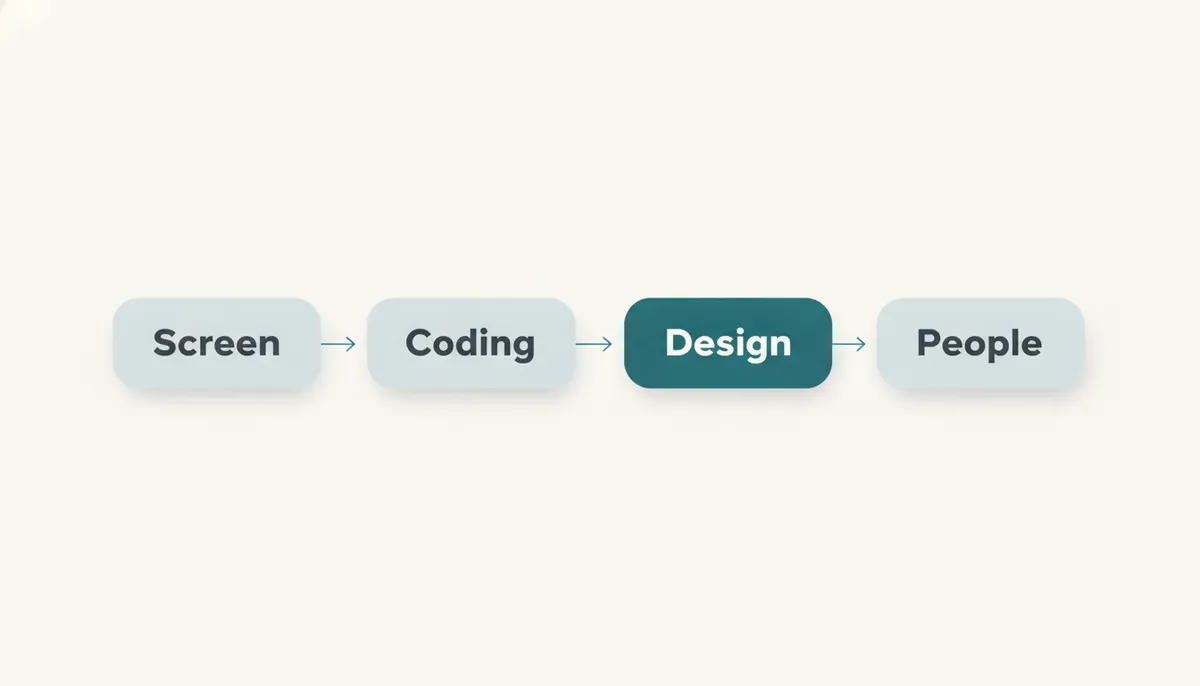
The process at a glance
| Stage | Round | Common format | What it screens for |
|---|---|---|---|
| Recruiter screen | Initial conversation | Phone or video call | Role fit, motivation, logistics |
| Coding round one | Live coding | Collaborative problem solving | Core DSA reasoning and communication |
| Coding round two | Live coding | Collaborative problem solving | Depth, optimisation and code quality |
| System design | Architecture discussion | Open-ended technical conversation | Scope, trade-offs, scale and judgement |
| Behavioural | Values and project depth | Conversation with interviewers | Ownership, collaboration and impact |
| Sometimes included | Project presentation | Discussion of previous work | Technical communication and decision-making |
The onsite is not a collection of unrelated tests. Across the loop, interviewers are building a consistent picture: can you solve a problem, make sensible technical decisions, explain your thinking and work productively with others?
Recruiter screen — alignment before evaluation
The recruiter call is usually the first substantive step. It is not normally a coding test, but treating it casually is a mistake. The recruiter is checking whether your experience matches the opening, whether your level expectations are realistic and whether you can articulate why LinkedIn is a meaningful next move.
Prepare a concise narrative rather than a rehearsed speech. You should be able to explain your current role, the kinds of systems you have worked on, the work you want more of, and why a professional network and platform business interests you. Specificity is more persuasive than generic enthusiasm.
A good answer connects your experience to the role. If you have worked on data-heavy products, talk about the decisions that made data trustworthy or useful. If you have built user-facing systems, explain what you learnt from reliability, experimentation or performance work. Keep it grounded in what you actually owned.
What it screens for: communication, level fit, interest in the role and whether there is a sensible match between your background and the team’s needs.
Coding round one — structured problem solving
Reported accounts commonly describe two coding rounds in the onsite. The first typically establishes whether you can work through a data structures and algorithms problem in a live setting. Arrays, strings, hash maps, trees, graphs, recursion, sorting and search are all sensible preparation areas.
Do not optimise before you understand the problem. Start by restating the prompt, asking about constraints and working through a small example. Offer a direct approach first if it helps establish correctness, then explain how you would improve its time or space complexity. This makes your reasoning easy to follow and gives the interviewer opportunities to guide the conversation.
The strongest candidates narrate the important decisions:
- what data structure they are choosing and why;
- the invariant their approach maintains;
- complexity before implementation;
- boundary cases that could break otherwise correct code.
Pattern recognition matters because it creates time for this communication. The DSA Patterns Sheet is free to browse and groups practice by reusable problem shape, not just by broad topic. For a more deliberate method, read how to identify the right DSA pattern in a coding interview.
What it screens for: problem decomposition, fundamental algorithms, complexity awareness and your ability to collaborate while coding.
💡 Pro Tip: Pause before writing the first line. A short plan spoken aloud is far cheaper than rewriting half a solution after discovering you misunderstood an edge case.
Coding round two — depth, adaptation and code quality
The second coding conversation may look similar on paper, but it often reveals more about how you respond once the first obvious solution is no longer enough. Expect a follow-up constraint, an alternative input shape, a request to reduce memory use or a discussion of how your design would behave at larger scale.
This is where memorised solutions become fragile. An interviewer may not need a perfect final implementation if your reasoning is robust, but they do need to see that you can adapt rather than defend an initial idea that no longer fits.
Practise the full live-coding sequence: clarify, model the input, talk through options, choose one approach, code in readable stages, test examples and revisit complexity. Use in-browser code practice to rehearse implementation and feedback loops, then apply the same structure in an AI mock interview.
The difference between a passable and convincing solution is often not the algorithm. It is whether your code is legible, whether names communicate intent, and whether you test the failure paths without waiting to be prompted. Our guide to what interviewers actually look for in live coding rounds explains the behaviours that make that work visible.
What it screens for: technical depth, adaptability, implementation discipline and clear collaboration under pressure.
✅ Do: Say when you are uncertain, then explain how you will resolve the uncertainty.
❌ Don’t: Go quiet while searching for a better idea. The interviewer can assess your reasoning only when they can hear it.
System design — framing a useful, defensible architecture
For experienced hires, reported accounts commonly include a system design round. Content-feed and recommendation-engine-style prompts are often associated with LinkedIn preparation, but the more durable lesson is the shape of the discussion: define an ambiguous product system, establish priorities and choose an architecture that fits those priorities.
Start with requirements. Who uses the system? What is the core user action? What needs low latency, strong consistency or reliable delivery? Which features can be deferred? A candidate who jumps immediately to queues, caches and databases may sound fluent, but can easily solve a system nobody asked for.
Then build the design in layers:
- define the API or primary user flow;
- estimate the relevant read and write patterns;
- outline storage, compute and data movement;
- identify bottlenecks and failure modes;
- discuss the trade-offs behind the choices.
For LinkedIn, it is particularly useful to think about systems where relevance, freshness and professional trust can pull in different directions. A feed should be useful, but it also needs to be responsive. Recommendations should be personalised, but candidates should be able to explain what data flows and ranking decisions imply for latency, privacy and quality.
The System Design Sheet is free to browse and helps you practise the architectural vocabulary behind these conversations. LinkedIn's interview kit also gives you a company-focused route into the kind of system design problem evidenced at LinkedIn. If you are unsure how deeply to prepare for your level, how much system design is enough for SDE-1 versus SDE-2 interviews is a useful guide.
What it screens for: requirements judgement, architectural reasoning, prioritisation, trade-off communication and practical awareness of scale.
Behavioural round — evidence of how you work
The behavioural conversation is not an easy final chat after the technical rounds. It is where interviewers test whether the person who can solve a technical problem will also make a strong teammate: someone who takes ownership, handles disagreement, learns from setbacks and makes decisions with users and colleagues in mind.
Prepare stories from real work, not generic claims. “I am collaborative” is forgettable; a precise account of a disagreement you helped resolve is evidence. Build a small set of stories covering:
- a project where you made a consequential technical decision;
- a difficult failure, incident or missed expectation;
- a time you influenced without formal authority;
- a project where you improved an outcome for users or colleagues.
Use a simple structure: situation, responsibility, action, result and reflection. The reflection is important. Strong candidates can explain what they would repeat and what they would change.
Practising aloud is far more effective than outlining in a document. AI mock interviews can help you rehearse behavioural answers under realistic follow-up questions rather than merely polishing a script.
What it screens for: ownership, self-awareness, communication, collaboration and level-appropriate impact.
The LinkedIn-specific challenge: communicate technical work as professional value
LinkedIn’s reported project-presentation element is distinctive because it combines technical depth with the ability to make work understandable to people beyond your immediate implementation details. It is not enough to describe a service, migration or feature in terms of tools used. You need to explain why the problem mattered, how you chose a path and what changed as a result.
Prepare one project you can present at two levels.
At the first level, give a clear story: the user or business problem, your role, the constraint and the result. At the second, be ready for technical excavation: architecture, data model, alternatives rejected, reliability concerns, rollout strategy and lessons learnt.
This matters especially for a company built around professional identity, connections and useful economic opportunity. When discussing past work, show that you can connect engineering decisions to trust, relevance, member experience and measurable outcomes. That is a more convincing signal than an inventory of technologies.
Avoid claiming ownership you cannot defend. Interviewers may ask why a particular decision was made, what happened when it failed, or what you personally would redesign now. Specificity is your advantage.
Is the LinkedIn interview hard?
Yes, but its difficulty is balanced rather than concentrated in one speciality. The coding rounds require solid DSA fluency. The system design conversation requires you to handle ambiguity without hiding behind buzzwords. The behavioural and project discussions require evidence that you have already operated with ownership and sound judgement.
How many rounds are there? Reported accounts commonly describe a recruiter phone screen followed by an onsite with two coding rounds, one system design round and one behavioural round. Some candidates also report a project presentation. The final format can vary by team and level.
How long does the process take? Public candidate reports do not establish one reliable end-to-end timeline. Scheduling, team matching and hiring needs can all change the pace, so ask your recruiter about expected milestones and use that answer to shape your preparation plan.
The common failure mode is preparing for coding as if it is the whole interview. It is not. A candidate who is strong on algorithms but cannot structure a design conversation or explain previous work clearly leaves too much of the loop to chance.
A 30-day preparation plan
Week one — rebuild coding fluency
Work through core DSA patterns every day: arrays, hashing, two pointers, sliding windows, binary search, trees and graphs. Focus on recognising the shape of a problem before coding. The graph traversal patterns guide is useful if graph questions are a weaker area.
At the end of the week, do a timed mock coding session. Explain every decision aloud, including complexity and edge cases.
Week two — make communication a habit
Continue coding practice, but make every session interview-like. Spend the first minutes clarifying, state your intended approach before implementation and test deliberately at the end.
Use LinkedIn's interview kit to concentrate your preparation on its mapped DSA material. Keep a short error log: missed pattern, unclear explanation, bug, weak test coverage or complexity mistake. Review the log before each session.
Week three — build system design structure
Practise one open-ended design prompt every other day. Begin with requirements rather than components. Draw a simple architecture, identify the core data flow and name the trade-offs you are making.
The System Design Sheet is free to browse. Pair it with the Low Level Design Sheet, also free to browse, when you want to sharpen how components, interfaces and responsibilities fit together.
Week four — rehearse the complete loop
Run complete simulations: a coding round, a system design discussion and a behavioural conversation. Prepare one project presentation and practise giving it without slides, then invite interruptions and follow-up questions.
Keep coding warm, but do not spend the whole week collecting new problems. Your highest-leverage work now is improving delivery: calm clarification, explicit trade-offs, readable code and evidence-based project stories.
Frequently asked questions
What types of LinkedIn interview questions should I expect?
Reported accounts commonly describe DSA coding questions, a system design discussion, behavioural questions and sometimes a past-project presentation.
How many coding rounds does LinkedIn have?
The commonly reported onsite shape includes two coding rounds. Confirm your specific loop with the recruiter, as teams and levels can differ.
Does LinkedIn ask system design questions?
Yes, a system design round is commonly reported for experienced engineering candidates. Prepare to clarify requirements and explain architectural trade-offs.
Are LinkedIn coding interviews LeetCode-style?
Candidates should prepare for live DSA problem solving: choosing data structures, discussing complexity, implementing cleanly and testing edge cases.
What should I study for LinkedIn system design?
Practise requirement gathering, APIs, data modelling, storage choices, caching, asynchronous processing, reliability and trade-offs. Keep the user problem central.
Does LinkedIn ask about previous projects?
Reported accounts indicate that some candidates may present a past project. Prepare a clear account of your role, decisions, outcomes and lessons learnt.
Is the behavioural round important?
Yes. It evaluates ownership, collaboration, communication and the impact you have had in previous roles. Treat it as a scored part of the loop.
How should I prepare if I have limited time?
Prioritise coding patterns first, then practise communicating solutions aloud. Add structured system design and a small set of strong project stories as soon as possible.
What language should I use in the coding round?
Use the language in which you can write correct, readable code quickly. Familiarity and communication matter more than choosing a fashionable language.
Where to start
Start by making your technical reasoning visible. Work through coding problems by pattern, rehearse a system design framework and prepare concrete stories from your past work. The goal is not to sound rehearsed; it is to make good judgement easy for the interviewer to observe.
Open LinkedIn's interview kit to practise the mapped DSA questions and system design problems associated with LinkedIn. Then use an AI mock interview to rehearse coding explanations, design trade-offs and behavioural follow-ups before the real loop.
Topics
Related on Thita
Your next step
Practise with AI mock interviews
A spoken interview that asks follow-up questions, runs your code and ends with a written report.