
Interview
LinkedIn System Design Interview: Complete Guide (2026)
Prepare for the LinkedIn system design interview with a clear round breakdown, product-domain frameworks, strong-answer habits, and a focused prep plan.
The LinkedIn system design interview is where an experienced engineer has to show more than the ability to produce correct code. You need to turn an ambiguous product prompt into a coherent service: identify the important users and actions, estimate the scale, choose the right storage and communication paths, and explain the trade-offs without disappearing into infrastructure trivia.
Reported accounts describe a LinkedIn loop with coding rounds, a system design round, a behavioural conversation and, in some cases, a presentation about a past project. That means preparation has two jobs: maintain coding fluency while learning to communicate architectural judgement under pressure.
For targeted technical practice, LinkedIn's interview kit holds 34 mapped DSA questions and 2 system design problems. Use it as a focused starting point, then practise explaining the reasoning behind every decision rather than memorising a diagram.
Where system design fits in LinkedIn's interview process
Reported accounts commonly describe an onsite sequence containing coding, system design and behavioural evaluation. The exact shape can vary by team, location and seniority, so your recruiter remains the best source for the loop you will actually face. But the broad implication is reliable: system design matters most when the role expects you to make independent technical decisions across services, teams or product surfaces.
For early-career candidates, a discussion may stay closer to component boundaries, API choices, data modelling and sensible handling of growth. For experienced hires, the conversation is more likely to test whether you can reason from product needs to a resilient distributed system. The interviewer is not looking for a single canonical architecture. They are looking for whether you can narrow an open-ended problem, make assumptions visible, and revise your design as requirements change.
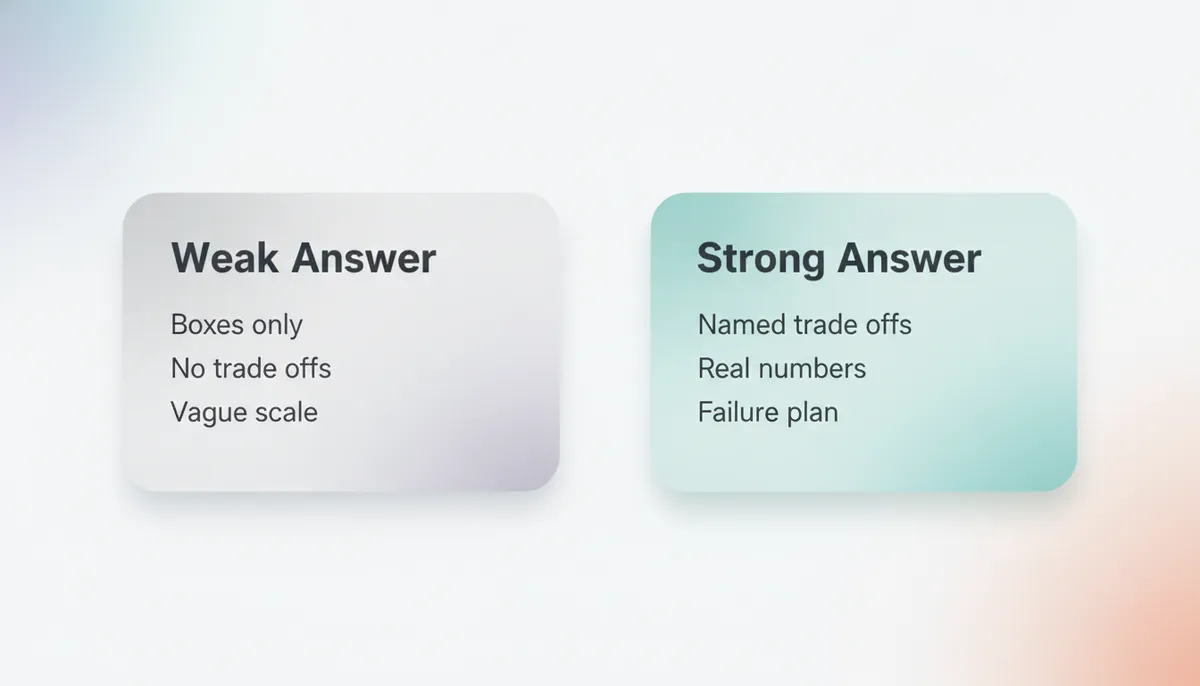
A useful distinction is between a system that merely sounds scalable and one whose scaling choices follow from the workload. “Use a queue”, “add a cache” and “shard the database” are not answers on their own. They become strong choices only when you can explain what traffic or failure condition they address, what they cost, and what happens when they fail.
The product territory to expect
LinkedIn’s products make several system-design territories feel natural. Think about systems that organise professional identity, social connections, content, discovery and communication. A prompt may centre on a feed-like experience, recommendation or ranking workflows, profile updates, notifications, messaging, search, or activity across a professional network.
You do not need inside knowledge of LinkedIn’s production architecture. In fact, pretending to know it is risky. Instead, use the product domain to form sensible questions.
For a feed or activity stream, ask:
- Is freshness more important than completeness?
- Are posts primarily read by a user’s direct network, or can they reach a much wider audience?
- Is ranking calculated when content is created, when a member opens the feed, or through a hybrid approach?
- What happens when a highly connected member creates a popular post?
- Which actions must be immediately consistent, and which can tolerate delay?
For recommendations, clarify whether the goal is a real-time personalised result or a periodically generated candidate set. Separate offline model generation from online serving. Discuss how the system tracks feedback, avoids repeatedly showing irrelevant suggestions, and keeps latency acceptable when the user opens the product.
For messaging or notifications, identify delivery expectations. Is the requirement best-effort, eventually delivered, or strongly ordered? Can recipients be offline? How are duplicate sends handled? What privacy controls or user preferences govern delivery?
For search, make the distinction between the source of truth and the query-serving index. A profile database can be authoritative without being the system that serves every keyword query. Explain how updates reach the index, what staleness is acceptable, and how you would handle filtering, permissions and ranking.
These domains reward product reasoning. A candidate who asks, “What should the member experience if the recommendation service is slow?” is demonstrating the same judgement as a candidate who discusses timeouts and fallbacks. Good system design keeps those ideas connected.
What the interviewer is really evaluating
A LinkedIn system design interview is not a quiz on naming cloud services. It is an evaluation of how you approach uncertainty.
First, interviewers need to see problem framing. Before drawing boxes, restate the goal in plain language and separate functional requirements from quality attributes. A professional-network feed might need post creation, feed retrieval, audience controls and basic engagement. Its non-functional goals might include low read latency, reasonable freshness, availability and privacy.
Second, they are evaluating prioritisation. You cannot design everything in one conversation. State what you will cover now and what you are consciously deferring. For example, you may begin with the read path and publishing path, then return to ranking sophistication after the core system works.
Third, they are evaluating technical judgement. Every major choice should have a reason. A cache helps a read-heavy path; asynchronous processing helps decouple work; partitioning helps distribute data; a queue helps absorb bursts. But each introduces complexity. Explain invalidation, delivery semantics, hot partitions, retries, back pressure or operational visibility where relevant.
Finally, they are evaluating communication. A design interview is collaborative. The interviewer should be able to interrupt you, challenge an assumption and see how you adapt. Candidates who narrate their reasoning make it easier to assess the quality of their decisions. Candidates who silently draw a dense architecture leave too much unproven.
The same principle applies in coding rounds. Read how to explain your thought process clearly in coding interviews before your loop. The medium changes, but the habit is identical: make your reasoning observable.
A structure for strong system design answers
Use a repeatable sequence. It protects you from both common failure modes: starting implementation details too early and staying vague for too long.
Start with requirements and assumptions
Open by confirming the primary user journey. Ask two or three questions that materially change the architecture, not a long checklist of minor details.
Then state assumptions where information is missing. You might say: “I’ll optimise for a large read-heavy member experience, allow brief delay in feed updates, and treat privacy enforcement as non-negotiable.” This gives the interviewer a design target and gives you permission to proceed.
Estimate only what informs a decision
Rough scale estimates are useful when they justify a choice. You do not need theatrical arithmetic. Work from relative shape: read-heavy versus write-heavy, frequent versus occasional updates, small versus large payloads, global versus regional usage.
If you conclude that a feed has far more reads than writes, that supports caching and precomputation discussions. If a profile edit needs to reach multiple downstream systems, that supports an event-driven update pipeline. Estimation is a bridge to architecture, not a performance.
Draw the smallest complete system
Begin with a basic path that fulfils the user need:
- A client sends a request through an API layer.
- A service performs the core business action.
- Durable storage records the authoritative state.
- A read service retrieves and assembles the result.
Only after the basic path is clear should you introduce caches, queues, background workers, indexes, replicas or specialised stores. This ordering is important. It shows that you understand the product before optimising the machinery around it.
Deepen the bottleneck, not every component
Choose the part most likely to break at scale. For a feed, that may be fan-out, ranking latency or a celebrity-style hot key. For search, it may be index freshness and query latency. For messaging, it may be ordering, offline delivery or duplicate events.
Go deep there. Describe the data model, partition key, request flow and failure handling. Compare alternatives. A concise, well-reasoned discussion of a difficult bottleneck is more persuasive than a shallow tour of every distributed-systems term you know.
Close with trade-offs and evolution
Finish by naming the compromises. A precomputed feed can make reads fast but makes writes more expensive. A fan-out-on-read approach can reduce write work but may increase read latency. A fully synchronous path can simplify consistency but increase coupling and tail latency.
Then explain what you would measure after launch: latency, error rate, backlog depth, cache effectiveness, delivery delay, storage growth or quality signals. This makes the answer feel like an operating system, not a static whiteboard exercise.
For additional architecture practice, the System Design Sheet is free to browse. It is particularly useful for building a vocabulary around requirements, interfaces, storage and trade-offs.
What weaker answers do differently
Weak answers usually fail because they skip a layer of reasoning.
They build before clarifying. A candidate hears “design a professional feed” and immediately draws Kafka, Redis and multiple databases. But nobody knows what the feed must do yet. Start with the member journey and constraints.
They confuse components with decisions. Listing technologies is not design. Each component needs a workload-based justification and an explanation of its operational cost.
They over-engineer the first version. A simple service with clear boundaries is usually a better opening than a multi-region architecture with dozens of services. Earn complexity by identifying the pressure that requires it.
They ignore data ownership. Ask which service owns profiles, connections, posts, delivery state or search documents. Unclear ownership often leads to accidental coupling and difficult consistency problems.
They treat reliability as an afterthought. Mention retries, idempotency, timeouts, dead-letter handling or graceful degradation only when appropriate, but do mention the failure modes that matter to your chosen path.
They never return to the user. A system can be technically impressive and product-poor. Tie architectural choices back to freshness, relevance, privacy, responsiveness and user trust.
One practical way to improve is to record yourself answering a design prompt. Listen for unexplained jumps: “we use a queue”, “we cache it”, “we shard by user”. Each jump is an opportunity to add the missing why.
Preparing across the technical loop
System design should not replace coding preparation. Reported LinkedIn accounts describe coding as a meaningful part of the process, and clean algorithmic thinking helps in design conversations too. You will make better choices about caches, indexes and queues when you understand the underlying data structures and complexity.
LinkedIn's interview kit gives you a company-focused set of 34 mapped DSA questions and 2 system design problems. Practise the DSA questions by pattern, then use the design prompts to rehearse a full spoken answer rather than reading an editorial passively.
The DSA Patterns Sheet is free to browse and is useful for rebuilding recognition across common coding patterns. If graphs feel rusty, work through graph traversal patterns with DFS and BFS. Network-shaped product questions often become easier to reason about when graph fundamentals are automatic.
For senior candidates, be deliberate about the boundary between component-level design and architecture-level design. How much system design is enough for SDE-1 versus SDE-2 interviews explains how expectations usually shift as scope and ownership increase.
A focused preparation plan
Build a reusable answer template
Write your own outline: requirements, assumptions, rough scale, API and data model, core architecture, bottleneck, reliability, trade-offs and metrics. Use the same outline for every practice problem until it becomes natural.
Do not memorise wording. Memorise the order in which you reduce uncertainty.
Practise product-first prompts
Choose prompts that resemble a professional network: a content feed, profile search, connection suggestions, notifications or direct messaging. For each one, write a short product brief before designing. Include who uses it, the most important action, what “fast” means and what can be delayed.
This prevents architecture from becoming detached from the user experience.
Add one deep-dive constraint each time
After completing a baseline design, introduce a twist. A popular account creates a traffic spike. Members change their privacy settings. A downstream ranking service becomes unavailable. Search updates lag behind profile edits. A notification is delivered twice.
Then revise your design aloud. Interview performance improves fastest when you practise adaptation, not just first-pass diagrams.
Rehearse communication under interruption
Use an AI interview to practise explaining design decisions interactively. Ask for follow-up questions about scale, failure handling, consistency and alternatives. The goal is not to defend every original choice. The goal is to show calm, structured judgement when new information arrives.
Keep coding and fundamentals active
Schedule regular coding sessions with in-browser code practice, and revisit databases as part of design preparation. The DBMS Sheet is free to browse and can refresh indexing, transactions, replication and modelling concepts that often surface during architecture discussions.
Frequently asked questions
Does LinkedIn have a system design interview?
Reported accounts commonly describe a system design round as part of LinkedIn’s onsite process, alongside coding and behavioural evaluation. Confirm the exact loop for your role with your recruiter.
When does system design matter most at LinkedIn?
It is most relevant for experienced engineering roles where the interviewer needs evidence of architectural judgement, technical communication and ownership beyond an individual coding task.
What kind of system design problems should I expect?
Content feeds, recommendation-style systems, search, messaging, notifications and professional-network workflows are natural preparation territory. Treat these as product-shaped practice areas rather than a fixed question list.
Does LinkedIn ask low-level design or machine coding?
The reported accounts used for this guide describe coding and system design, but do not report a distinct low-level design or machine-coding round. Focus on the round structure confirmed for your particular role.
How should I begin a system design answer?
Start by clarifying the user goal and constraints. State assumptions, identify the important requirements, and draw a minimal working architecture before discussing scale.
How detailed should capacity estimation be?
Detailed enough to justify an architectural decision. Relative workload shape is often more useful than elaborate arithmetic: read-heavy versus write-heavy, bursty versus steady, and latency-sensitive versus asynchronous.
What is the biggest system design mistake?
Jumping to technologies before defining the problem. A cache, queue or database choice is only convincing when you explain which requirement or bottleneck it addresses.
Should I practise coding as well as system design?
Yes. Reported accounts describe coding as a substantive part of the process. Pattern recognition, complexity reasoning and clear communication remain essential.
How do I prepare for the behavioural discussion?
Prepare project stories with specific ownership, decisions, setbacks and outcomes. Practise discussing trade-offs honestly, including what you would change now. An AI interview can help you rehearse those answers aloud.
Start with the right practice loop
A strong LinkedIn system design interview answer is clear before it is clever. Define the member problem, make assumptions explicit, build the simplest credible system, then deepen the part where scale or reliability creates a real trade-off.
Open LinkedIn's interview kit to work through the 34 mapped DSA questions and 2 system design problems connected to LinkedIn. Combine that focused practice with the free-to-browse System Design Sheet, timed coding rehearsal, and spoken mock interviews.
Interview processes change by team and level. Use this guide to build the underlying skills, then confirm the current format with your recruiter.
Topics
Related on Thita
Your next step
Practise with AI mock interviews
A spoken interview that asks follow-up questions, runs your code and ends with a written report.