
System Design
System Design Tools That Say AI But Are Just a Diagram Canvas
Not every AI system design tool evaluates your architecture. Learn how to spot a diagram canvas, choose meaningful feedback, and practise live design rounds.
Search for an AI system design interview with whiteboard and you will find a crowded category of tools that appear to promise the same thing. There is a canvas. There are boxes, arrows, database icons, sticky notes and templates. Sometimes there is an AI chat box beside the canvas.
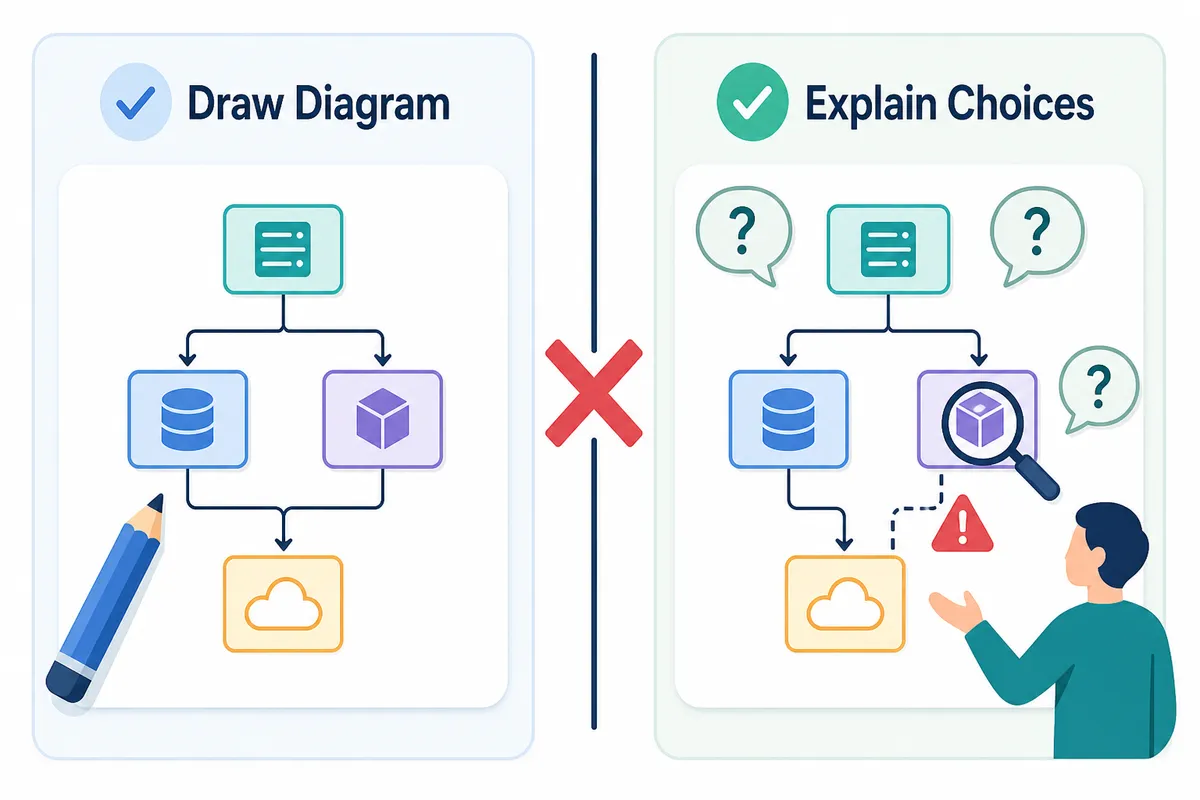
But a canvas is not an interviewer.
A diagramming tool can help you organise your thinking. A real AI system design interview should also listen to your requirements discussion, challenge assumptions, inspect the architecture you submit and evaluate whether your choices make sense for the scale and constraints.
That distinction matters because the blank canvas is usually the easy part. The difficult part is having someone ask, “Why Redis here?”, “What happens when one region fails?”, or “How would this change if writes were ten times larger than reads?” A live AI system design interview with a whiteboard is useful because it makes you defend the decisions behind the arrows, not simply draw them.
Many candidates spend weeks building neat diagrams and still freeze when an interviewer starts probing. The reason is simple: they have practised architecture illustration, not architecture judgement.
Why “AI” in a tool description can mean almost anything
“AI-powered” is broad enough to describe several completely different products.
It might mean the tool can generate a starter diagram from a prompt. It might mean it suggests icons, groups sticky notes or rewrites labels. It might mean there is a chat assistant that answers general questions about Kafka, sharding or load balancers. Those can all be helpful capabilities.
None necessarily means the tool evaluates your design.
That is why generic diagramming roundups often rank for searches about AI system design practice. Miro, Excalidraw and Lucidchart are useful canvases for collaborative thinking and visual communication. They can be excellent places to sketch an API gateway, queue, database and worker setup. But drawing on a whiteboard does not create an interview loop by itself.
A system design interviewer is evaluating more than whether you know the usual components:
- Did you clarify functional and non-functional requirements?
- Did you estimate traffic, storage, read-to-write ratios and growth?
- Did you choose components that fit those assumptions?
- Did you identify bottlenecks before the interviewer had to point them out?
- Did you explain consistency, availability, cost and operational trade-offs?
- Did you revise the design coherently after a new constraint appeared?
A canvas records what you drew. An evaluated session responds to what you drew.
⚠️ Important: A beautiful diagram can still describe a fragile system. Interviewers are not scoring diagram polish. They are scoring the reasoning that led to the diagram and the judgement you show when its weaknesses are exposed.
This is particularly important for candidates who have learnt system design through videos or solution posts. You may understand why a feed needs fan-out, why rate limiting matters or why object storage is useful. That does not automatically mean you can decide what to prioritise in a live, incomplete problem.
For a practical refresher before you begin mock sessions, use this step-by-step framework for answering system design interview questions. A framework gives you a reliable starting order. A mock interview tells you whether you can use it under pressure.
The test: does the tool evaluate the architecture you submit?
You can test this before committing much preparation time.
Open the canvas, draw a deliberately incomplete design and see what happens. For example, design a file-upload service with one application server and one database, but omit object storage, asynchronous processing, retries and a content delivery strategy. Then submit it or ask for feedback.
A meaningful evaluation should identify specific consequences. It may ask what happens when uploads become large, whether the database should store binary files, how a failed processing job is retried, or how content reaches users in another region.
Generic advice is not enough. “Consider scalability and caching” could apply to nearly any diagram ever made. Useful feedback should connect an observation to something you actually drew.
Here are four signs that a tool is evaluating your system design canvas practice rather than merely displaying it.
1. It references specific parts of your architecture
Good feedback points to the choices on the board: your synchronous request path, your single database, your cache invalidation plan or the absence of a queue between services.
If the feedback could be copied and pasted onto another candidate’s design unchanged, it is probably a checklist rather than an evaluation.
2. It asks follow-ups based on your answer
A real system design discussion is adaptive. If you choose eventual consistency, the next question might concern user expectations. If you choose strong consistency, the next question might concern latency and availability. If you introduce a message queue, you should expect questions about ordering, duplicate delivery and dead-letter handling.
The follow-up is where interview realism begins.
3. It assesses trade-offs, not component recognition
Anyone can add a cache, queue and load balancer after watching enough diagrams. The harder question is whether those components are justified.
A good evaluator asks why you chose a particular database, why a read replica is sufficient or why partitioning is necessary now rather than later. It should recognise that several solutions may be reasonable if the candidate can explain the trade-offs.
4. It evaluates the submitted design, not just a text summary
Some AI tools are strongest when you describe your architecture in prose. That can still be useful for learning, but a whiteboard interview has an additional challenge: you must make the system legible while explaining it.
If your target process includes an actual design board, you need to practise communicating through one. The evaluator should consider the architecture you placed on the canvas, not only an idealised explanation typed afterwards.
💡 Pro Tip: Do not ask only, “Is my design correct?” Ask, “What would you challenge first as an interviewer?” The answer reveals whether you have designed a robust system or simply assembled familiar building blocks.
Diagram canvas, AI tutor and AI interviewer: three different things
It helps to separate tools into categories instead of assuming they compete on the same job.
| Tool type | What it is useful for | What it may not provide |
|---|---|---|
| Diagram canvas | Sketching flows, collaborating and revising visual ideas | Interview questions or architecture evaluation |
| AI tutor | Explaining concepts and suggesting improvements | Live pressure, adaptive questioning and canvas assessment |
| Timed prompt library | Repetition across common design questions | Feedback on your actual trade-offs |
| AI-evaluated interview | Practising discussion, design decisions and follow-ups | The nuance of a specific human interviewer |
Think about the difference between these two sessions:
Session one: You open a blank board, draw a URL shortener, add a load balancer, service, cache and database. You compare it with a reference diagram and feel reasonably confident.
Session two: Someone asks you to design the same service aloud. They stop you after requirements and ask how long links must remain valid. They ask what identifier length supports your expected scale. They question collisions. They ask whether analytics should affect redirect latency. Then they ask how the service behaves if the cache is cold after a deployment.
The architecture may begin with the same boxes. The skills being tested are completely different.
For more prompts to rotate through, this guide to 50 system design interview questions is a useful source of practice material. Do not just read the questions, though. Set a timer, state assumptions out loud and force yourself to produce a design before checking any reference answer.
Real AI-evaluated options deserve credit
Not every product using AI for system design is superficial. Hello Interview is a genuinely strong option for candidates who want an AI-evaluated system design canvas. It takes the important step beyond diagramming: the submitted architecture is part of what receives feedback.
That is an important distinction, and candidates should recognise it rather than assume there is only one meaningful option in the category.
The best choice depends on how you need to practise. Some candidates primarily want detailed feedback on diagrams they create independently. Others want a structured curriculum, company-specific material or a broader set of technical practice tools. Some are preparing for an interview process that combines coding, behavioural questions and system design, and prefer to rehearse those modes without scheduling separate platforms.
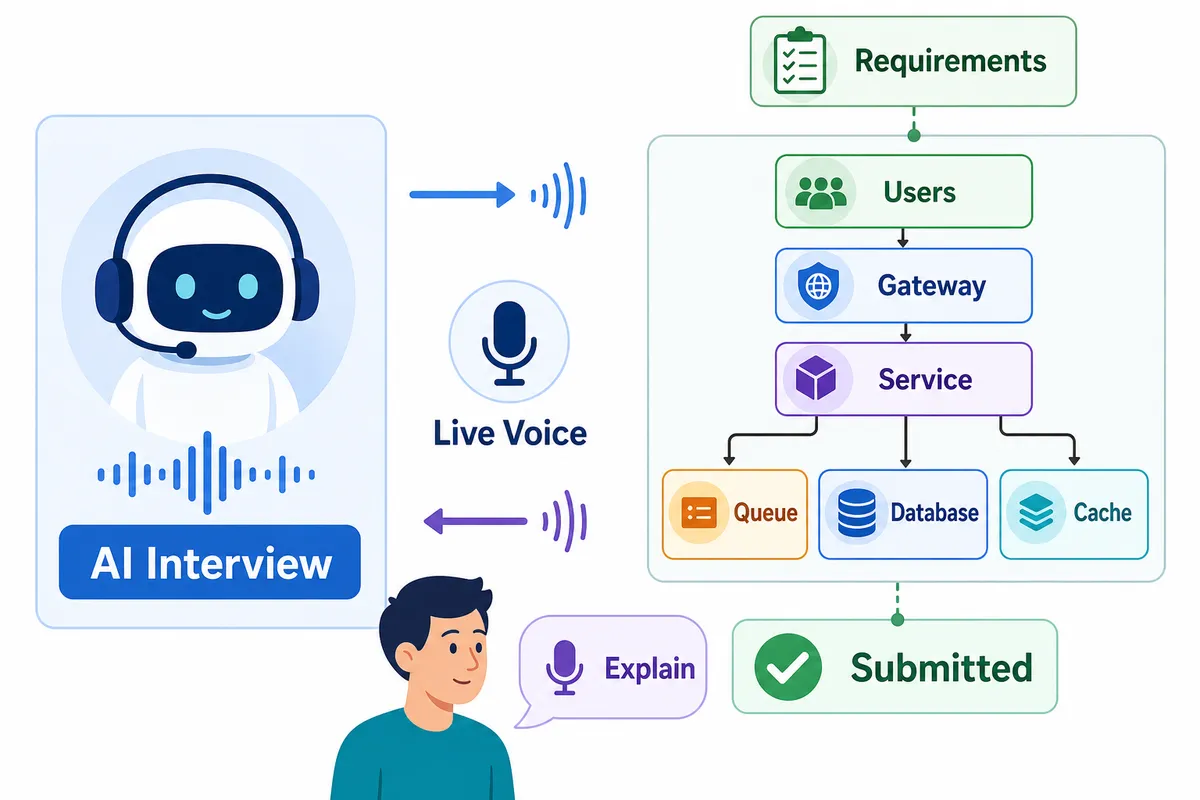
At Thita, the honest distinction is the live voice round on the canvas in the same session. You explain the system aloud, use the canvas to show your architecture and receive adaptive follow-ups while the conversation is happening. The AI evaluates the architecture you submit rather than treating the board as a passive attachment.
You can practise a live AI system design interview on a canvas whenever you are ready, without waiting for a peer to accept a session.
Alongside system design, candidates can prepare for DSA, low-level design, machine coding, behavioural, product management, data science, AI and ML, CS fundamentals and resume-based interviews generated from their own CV.
That breadth matters if you have several rounds ahead. You should not need one habit for coding preparation, another for system design and another for explaining your project history. The mechanics change between rounds, but the underlying interview skill is consistent: make sound decisions visible, explain them clearly and respond calmly when challenged.
How to use an AI system design practice session properly
An evaluator is only as useful as the session you give it. Treat each round as interview rehearsal rather than a chance to collect another model answer.
Start with requirements, even when practising alone
Before drawing a single component, clarify the user action, core features and constraints. Ask about expected users, latency targets, data retention, geography, consistency needs and cost sensitivity.
Candidates often skip this because the prompt seems familiar. That is exactly the habit to break. A requirement question is not wasted time; it tells the interviewer that you know design depends on context.
✅ Do state assumptions if the information is unavailable. ❌ Don't invent huge scale numbers without explaining why they matter.
Estimate only what changes the design
You do not need a page of arithmetic for every round. You do need enough estimation to justify important choices.
If you claim you need sharding, estimate data volume or throughput. If you propose a queue, explain the burst or asynchronous workload it absorbs. If you want a content delivery network, identify the global delivery problem it solves.
The goal is not numerical perfection. The goal is to show that your components have reasons.
Draw the critical path first
Start with the request flow that makes the product work. For a chat system, show sending and receiving a message. For a food-delivery system, show order creation and assignment. For a video platform, show upload, processing and playback.
Then add scale, reliability and operational details where they change the story. Candidates who begin by naming every infrastructure component often lose the interviewer before the product flow is clear.
Invite pressure into the round
After the initial design, actively ask yourself what breaks first:
- What if traffic spikes tenfold?
- What if a worker processes the same event twice?
- What if a region becomes unavailable?
- What if users demand immediate consistency?
- What if a database partition becomes hot?
- What if one slow dependency delays the entire request?
This is where a system design mock interview with diagram tool becomes more valuable than a static solution review. The point is not to defend every original decision forever. It is to demonstrate that you can revise the design as new information arrives.
For candidates unsure about the expected depth at different levels, read how much system design is enough for SDE 1 versus SDE 2 interviews. Junior candidates are not expected to design global infrastructure from scratch. They are still expected to reason clearly about the scope they are given.
Frequently asked questions
What is an AI system design interview with whiteboard? It is a practice interview where you discuss a system design problem while using a visual canvas to map services, data flows and infrastructure. A strong version should evaluate the architecture you submit and ask follow-up questions based on your decisions.
Is a diagram canvas enough for system design interview practice? No. A canvas is useful for organising and communicating a design, but it does not assess whether your architecture meets the stated requirements. You also need practice explaining trade-offs, defending choices and responding to changing constraints.
How can I tell whether an AI tool evaluates my design? Submit an intentionally incomplete architecture and look for specific feedback. Useful evaluation references components and gaps in your actual design, such as missing retry handling or an unsupported scaling assumption, rather than generic advice about caching.
Is Hello Interview a real AI-evaluated system design option? Yes. Hello Interview offers genuinely strong AI evaluation for system design work on a canvas. Candidates should compare tools based on the type of practice they need, including feedback depth, round breadth and whether they want live voice discussion.
What should I draw first in a system design interview? Start with requirements, then map the core user request and critical data flow. Add services, storage, asynchronous processing and scaling details only when they solve a specific requirement or constraint.
Does Thita evaluate the architecture on the canvas? Yes. In Thita’s system design sessions, you discuss the design in a live voice round, use the canvas to build the architecture and receive evaluation based on the architecture you submit.
Practise the discussion, not just the diagram
A blank canvas can help you think. It cannot tell you whether your database choice creates a bottleneck, whether your queue introduces duplicate processing or whether your explanation survives the first follow-up.
For interview preparation, that difference is everything.
Start a live AI system design interview with whiteboard practice and practise building, explaining and defending an architecture in the same session. Begin with a familiar prompt, make your assumptions explicit and let the follow-up questions reveal what your diagrams alone cannot.
The goal is not to create the most attractive system diagram. It is to become the candidate who can explain why every important box is there.
Topics
Related on Thita
Your next step
Practise system design the way it is interviewed
12 system design families, 26 worked case studies, and AI mock interviews that question your design.