
Interview
How to Pass an AI Interview (2026): Formats, Scoring and What to Do
How to pass an AI interview in 2026: the three formats, what AI interviewers evaluate, voice and camera tips, answer structure and a free way to practice.
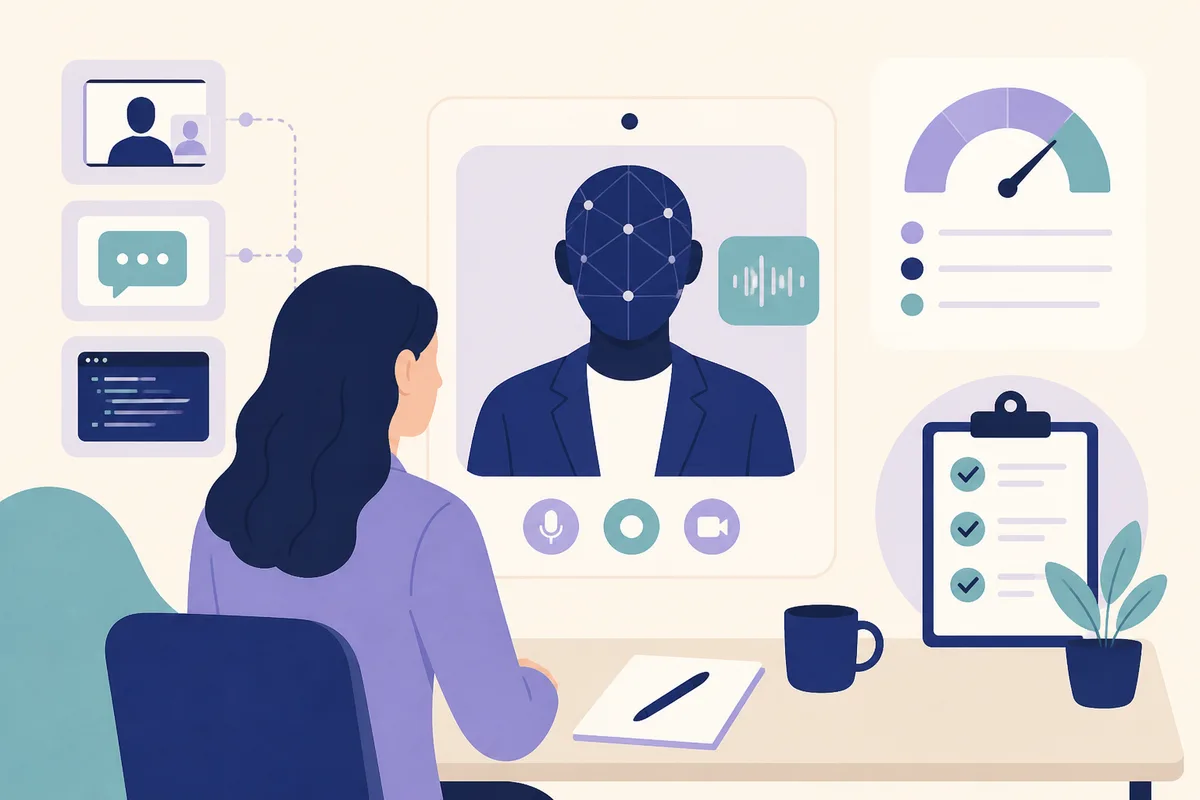
Rehearse the AI interview round before it counts
To pass an AI interview, answer each question directly, give specific examples with outcomes, speak clearly at a steady pace, and set up your camera, microphone and browser before you start. An AI interview is a screening step where software asks the questions, records or transcribes your answers and scores them against criteria the employer chose. As of October 2026 these interviews are common: in a Greenhouse survey of job seekers, 63 percent of US respondents said they had been interviewed by an AI, and 38 percent said they had walked away from a hiring process because it included one. Humans usually still make the final decision.
At a glance
| Question | Short answer |
|---|---|
| What is an AI interview? | A screening interview run by software: one-way recorded video, a spoken conversation with an AI recruiter, or an AI-led technical screen. |
| Is a human watching? | Usually a human reviews the output or the recording later. Vendors such as HireVue and Zapier's pilot state that AI does not replace recruiters. |
| What is evaluated? | The content of what you say (relevance, specifics, structure), role competencies the employer picked, and for technical screens, your code and reasoning. |
| How long? | Varies: about 20 minutes for Mercor, 15 to 20 minutes in Zapier's pilot, 28 to 40 minutes reported for micro1. |
| What equipment? | Computer, Chrome or similar, working camera and microphone, quiet room, stable internet. |
| Can I use AI to answer? | No. Most platforms prohibit it, and some actively look for it. |
| How do I practice? | Speak your answers aloud to something that asks follow-ups, then review a transcript or report. |
| Is it legit? | Usually yes, but check the invite came from the employer or a known platform. See the scam checks below. |
The three types of AI interview
Not every AI interview is the same, and the right preparation depends on the type.
1. One-way recorded video interviews
You get a link, read or hear a question, and record an answer to a webcam within a time limit. No one responds in real time. HireVue is the best-known example. HireVue's explainability statement says customers work with its industrial and organizational psychology experts to decide the competencies for each role, that it transcribes answers and analyzes them against those competencies, and that its AI assessments do not replace recruiters. For details by vendor, see our guides to HireVue interview preparation and HireVue interview questions and answers.
2. Conversational AI recruiters
You speak with an AI that asks a question, listens and asks a follow-up. The employer or platform sets the questions and scoring. Examples with public documentation:
- Mercor: a recorded, role-specific AI interview of about 20 minutes. See the Mercor AI interview guide.
- micro1: a spoken interview with its AI recruiter Zara, with a coding challenge for technical roles. See the micro1 AI interview guide.
- Alex (formerly Apriora): a two-way AI recruiter offered by video, phone or chat, with questions generated from the job description. A candidate-facing review says a human team reviews the recording afterward and Alex does not make final decisions.
- Zapier's pilot with Ezra: per Zapier's write-up, an opt-in, 15 to 20 minute AI-led conversation completed on the candidate's schedule, with a recruiter reviewing every output.
3. AI-led technical screens
The AI interviews you on code or design. HackerRank's AI interviewer, which TechCrunch reported became generally available on October 5, 2026, gives candidates a task based on a real code repository, lets them work with an AI assistant, and asks follow-ups about their choices. It reports to a hiring manager, who makes the decision. For the older style of human-delivered technical screens, read our Karat interview guide.
What AI interviewers evaluate
Vendors do not publish exact weights, and anyone claiming a pass rate or a magic keyword list is guessing. What is documented:
- Competencies chosen by the employer. HireVue says assessments are built from role competencies. Zara scores against "predefined criteria" (micro1's knowledge base). Mercor says only that it evaluates you for the listing.
- The content of your answers. Systems that transcribe and analyze what you say can only reward what is in the transcript. Specifics, structure and relevance matter more than polish.
- Reasoning, for technical screens. HackerRank says its interviewer tries to assess critical thinking and judgment, not just correct output.
- Integrity signals, on some platforms. micro1's proctoring page lists multiple screens, mobile devices, off-screen help and AI tools as things it targets when proctoring is enabled. Zapier's pilot reported that cheat detection flagged about 5 percent of candidates.
Be cautious about claims that AI "reads your face" or "scores your tone". Some vendors have analysed audio or video in the past, and policies differ by vendor and by year. Read the consent notice and the vendor's explainability or privacy page, and plan on the safe assumption that speech content is what is scored. Our post on what HireVue records and tracks goes into detail for one vendor.
Before the interview: setup that prevents most failures
Most failed AI interviews are technical. Mercor's docs list the same issues micro1's help center does.
- Browser: Chrome is recommended by both. Avoid Incognito, Firefox and mobile browsers unless the invite says otherwise.
- Permissions: Allow camera and microphone, and screen sharing if required. If the Start button is grey, fix permissions and restart devices.
- Network: Use a stable connection. Mercor notes unreliable Wi-Fi can stop the bot from responding. Turn off VPNs and extensions.
- Room: Quiet, with headphones and an external microphone if you have them. Close apps and tabs.
- Light and framing: Face lit from the front, camera at eye level and steady on a desk. Both Mercor and micro1 mention this.
- Screens: If proctoring applies, use one screen. micro1 will suspend an interview if you add a second monitor.
- Materials: Pen, paper and a calculator if your role needs one.
Run the platform's system check if it offers one. micro1 has one at interview.micro1.ai/check-system.
Voice, camera and delivery tips
- Pace: AI interviewers often speak quickly or ask long questions. Take a breath, then answer. A steady, slightly slower pace helps transcription.
- Pauses: A short pause to think is fine. Mercor warns that long silences may prompt the AI to jump in. If it does, say you were not finished.
- Eye contact: Look at the camera lens when you can. Reading text on screen is fine for the question, but not for composing answers.
- Clarity: Finish sentences, avoid trailing off, and avoid long run-ons. Short sentences transcribe more cleanly.
- Fillers: A few are normal. Practise replacing "um" with a pause.
- Dress: Choose what you would wear to a video call with a hiring manager. There is no known requirement beyond looking professional.
- Accents and bandwidth: If an AI mishears you, repeat the key term plainly. Do not over-enunciate for the whole answer.
How to structure your answers
AI interviewers reward answers that are easy to score. Use one of these patterns.
Direct answer, then detail (for knowledge questions). State the answer in one sentence, then give one concrete example or reason. "I would use a hash map to cut the lookup to constant time. In a recent project this took a report from 40 seconds to 3."
Situation, action, result (for behavioural questions). Name the situation briefly, spend most of your time on what you did, then give a measurable result and what you learned. Our guide to behavioral interviews for engineers has worked examples.
Approach, trade-offs, decision (for design and technical questions). Say how you would break the problem down, what alternatives you considered and why you chose one. For coding screens, narrate before you type. See how to think out loud in coding interviews.
Resume claims with evidence. For every bullet on your resume, be ready to answer: what was the problem, what did you personally do, how did you measure it, what would you change. Resume-led AI interviews, including those described for Mercor and Alex, test exactly this.
Keep answers to roughly one to two minutes unless a question asks for more. Many platforms limit answer time or cut you off.
What to say and what to avoid
- Do mention tools, numbers and decisions. A transcript with specifics is easier to score than a transcript of adjectives.
- Do say "I" when it was you and "we" when it was the team, and be clear which parts you owned.
- Do not read a script. It sounds flat and breaks when the AI asks a follow-up.
- Do not use another AI tool to compose answers, rate your responses or write code during the interview. Mercor explicitly prohibits this, and micro1's proctoring targets it. Policies elsewhere are similar, so check the invite.
- Do not share confidential employer or client details. Mercor asks candidates to avoid this, and it is good practice everywhere.
Common mistakes
- Treating it as a form. The AI follows up, so shallow first answers get exposed.
- Overlong answers. They get cut off or lose structure.
- Not testing the setup. Browser, permission and network errors cause most failures.
- Memorised scripts. They fail on follow-ups.
- Skipping the privacy notice. Know what is recorded and who sees it.
- Using retakes carelessly. Mercor, for instance, lets hiring managers see your retake count.
- Ignoring non-verbal basics. Camera at eye level, face visible, steady device.
A 7-day and a 3-day plan
7 days
- Day 1: Research the vendor and role. Read the invite, privacy notice and any official candidate guide.
- Day 2: Rework your resume bullets into problem, action, result stories with numbers.
- Day 3: Record yourself answering five common questions. Listen for pace, fillers and filler words.
- Day 4: Prepare technical or domain basics for the role, stated aloud as explanations.
- Day 5: Do a spoken mock with follow-ups and review the feedback.
- Day 6: Full dress rehearsal on the real device and network. Fix permissions and lighting.
- Day 7: Light review. Sleep. Start when rested.
3 days
Day 2 (stories), Day 5 (one spoken mock with follow-ups) and Day 6 (setup rehearsal).
Practising for AI interviews
The best practice matches the experience: speaking aloud to something that asks follow-ups. Thita's free AI interview is a spoken, adaptive interviewer for technical rounds. It asks follow-up questions, runs your code against test cases for coding problems, covers system design and ends with a written report. The Starter plan is free; Pro adds more mocks, company kits and roadmaps. It is built for technical interviews and does not copy any vendor's format. More background is on the AI mock interview page and in our guide to DSA AI mock interviews.
For what you will be asked, read AI interview questions and answers. To see who uses AI interviewers, see companies using AI interviewers in 2026.
Your rights and sensible precautions
- Disclosure. In the Greenhouse survey, 70 percent of candidates said they were never clearly told upfront that AI would evaluate them. If it is not stated, ask the recruiter what is recorded, who sees it and whether a human alternative exists. Zapier's pilot, for example, made the AI screen opt-in with no penalty for declining.
- Alternatives. Some employers offer a human option. One candidate report on a Tesla recruiter screen said the recruiter's email offered a traditional screen instead. That is a single candidate account, not company policy, but it costs nothing to ask.
- Regulation. New York City requires employers using certain automated employment decision tools to get an independent bias audit and give candidates notice, as TechCrunch noted in its HackerRank coverage.
- Scams. A real employer or platform does not ask you to pay to be interviewed, and does not need ID documents before an offer. Check the sender domain and the employer's careers page.
FAQ
How do I pass an AI interview?
Answer directly, give specific examples with numbers, keep answers to one or two minutes, and test your camera, microphone and browser first. Practise aloud with follow-up questions so the format feels familiar.
What is an AI interview?
It is a screening interview run by software. The three common types are one-way recorded video, a spoken conversation with an AI recruiter and an AI-led technical screen. A human usually reviews the results.
How does an AI interview work?
You get a link, complete setup checks and answer questions out loud or on camera. The system transcribes your answers and scores them against criteria the employer chose, then produces a report or scorecard for recruiters.
Is an AI interview legit?
Most are real screening steps from employers or platforms, but verify the invite. A real process does not charge you or ask for sensitive documents before a human has made an offer.
Is an AI interview hard?
It is not usually harder than a human screen, but it feels harder because there are no social cues and answer time is limited. Preparation that includes speaking aloud makes a visible difference.
How should I prepare for an AI interview?
Rework your resume into specific stories, practise explaining your field aloud, rehearse your setup and do a mock interview with follow-ups. Read any official guide from the platform.
Can I use AI tools during an AI interview?
Generally no. Mercor allows AI only for grammar and wording checks beforehand, and micro1's proctoring targets AI tools. Follow the rules on your invite, and use AI only to practise beforehand.
Do AI interviewers judge my face or tone?
Vendors differ and policies change. HireVue says it transcribes and analyzes answers against role competencies. Read the vendor's privacy and explainability notices, and assume the content of your answers is what counts.
Where should I look at during an AI interview?
Look at the camera when you can, and keep your face centered and lit. Glancing at the screen to read a question is fine.
Can I ask for a human interview instead?
You can ask. Some employers offer one, and in surveys many candidates say they want that option. There is no guarantee, so ask politely and early.
Topics
Related on Thita
Your next step
Rehearse the AI interview round before it counts
Run timed coding problems against real test cases, get AI feedback on correctness and complexity, and do a spoken mock interview that asks follow-up questions about your code.